
The fastest route to reliable stock alerts real time is a platform that pulls exchange-level quotes and delivers via native push or webhook, with Telegram or Discord as a desktop fallback. Set your triggers to your documented trading-plan levels, not to every tick, and you will cut noise dramatically from day one.
The quickest delivery chain, in order of speed and reliability:
- Web push / native push — fires within seconds of a trigger, ideal for mobile-first traders who react on the go
- Webhook to a trading bot or dashboard — sub-second routing into automated systems; the choice for algorithmic setups
- Telegram or Discord — desktop and mobile simultaneously, with persistent message history so you can review a trigger you missed
Before trusting any platform for live execution, verify two things: that the data feed is labeled exchange-level real-time (not delayed), and that any broker integration you use is registered with FINRA and covered by SIPC for custody protection. Handy Markets is one example of a multi-channel alert platform that aggregates live prices across asset classes and routes notifications through all three channels above.
Key Takeaways
Real-time stock alerts work only when the data feed is exchange-level, the delivery channel reaches you within seconds, and the triggers are tied to pre-planned trade rules rather than every price movement.
| Point | Details |
|---|---|
| Use exchange-level feeds | Confirm the platform names its exchange data source; delayed quotes make alerts useless for intraday execution. |
| Pick primary and failover channels | Webhook or native push as primary, Telegram or SMS as backup, so a single channel failure does not leave you blind. |
| Limit to 5–10 alerts per session | Fewer, higher-signal alerts tied to your trading plan outperform a flood of low-threshold notifications. |
| Test before trading live | Run alerts in silent mode for one week, log false positives, and tighten filters before committing real capital. |
| Handy Markets for multi-channel setup | Handy Markets aggregates live prices across asset classes and routes alerts via Telegram, Discord, Slack, SMS, webhook, and email from one dashboard. |
Table of Contents
- Why do real-time stock alerts matter for active traders?
- What types of alerts do active traders actually use?
- How do you set up reliable real-time alerts step by step?
- Which delivery channels will you actually notice during trading hours?
- How do you verify that your alerts are truly real-time?
- What does a real-time alert setup actually cost?
- How do you avoid alert fatigue without missing real opportunities?
- What security and trust signals should you verify before relying on a platform?
- The alert setup I actually use and what it taught me
- Handy Markets brings real-time alerts and multi-channel delivery together
- Sources
Why do real-time stock alerts matter for active traders?
Speed is the entire argument. A price notification that arrives 15 minutes after a breakout is not an alert; it is a recap. For day traders, sub-second to second-level notifications are what separate a timely momentum entry from chasing a move that has already extended.
Consider three common intraday scenarios:
- Momentum entries — a small-cap stock clears a key resistance level on heavy volume. A real-time alert fires at the break; a delayed alert fires after the stock has already run 4%.
- Stop-loss execution — a position moves against you. A live notification lets you act before a manageable loss becomes a damaging one.
- Pair or hedge adjustments — when one leg of a spread moves, you need to know immediately to rebalance the other.
As a rough calibration: moves of a few percent or more intraday on above-average volume are worth alerting on for most small-cap names. High-beta large-caps may warrant tighter thresholds of low single-digit percentages because their absolute dollar moves are larger. The Handy Markets smart alerts guide covers how personalized thresholds speed up decision-making without flooding your screen.
Pro Tip: Pair every price alert with an automated confirmation step, such as a volume check or a news scan, before acting. This single habit reduces reaction lag caused by false positives and keeps you from trading on a data glitch.
What types of alerts do active traders actually use?
Not all alerts are created equal. Knowing which type to reach for, and when, is what separates a well-tuned setup from a noisy one.
- Price level alerts — trigger when a stock hits a specific dollar price. Use these for pre-planned entry and exit levels, support/resistance breaks, and stop-loss thresholds.
- Percentage-move alerts — fire when a stock moves X% from a reference point (open, prior close, or a custom baseline). Better than fixed-price alerts for volatile names where the exact level matters less than the magnitude of the move.
- Volume and unusual-volume alerts — trigger when volume exceeds a multiple of the average. A price move on 3× average volume carries a very different weight than the same move on thin volume; these alerts give you that context instantly.
- News and catalyst alerts — keyword-filtered notifications from news feeds. Early news often precedes price movement, so a news alert can give you a few seconds of context before the price alert fires. Benzinga Pro recommends combining price and news triggers specifically to avoid reacting to transient price noise.
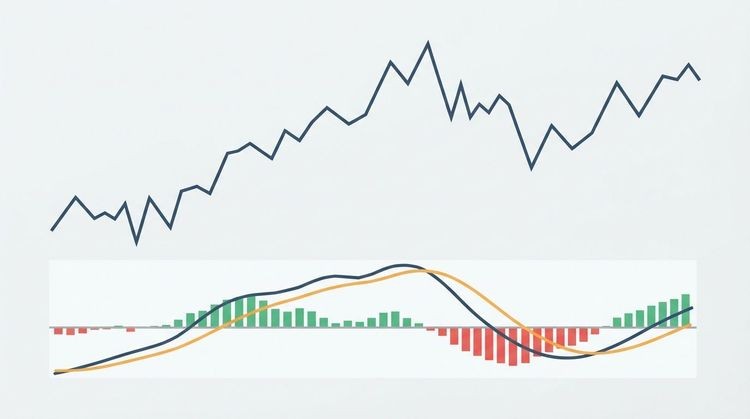
- Technical indicator alerts — MA crossovers, RSI entering overbought/oversold territory, MACD signal-line crosses. These are confirmation tools, not primary triggers, and work best when layered on top of a price alert.
- Order-fill and execution alerts — broker-generated notifications confirming a limit order filled, a stop triggered, or a position opened. IG’s configurable trading alerts include price, indicator, and economic-event triggers across push, email, and SMS, illustrating how brokers typically package these types together.
For a deeper look at which alert types map to specific trade setups, the top financial market alerts guide on Handy Markets walks through curated examples.
How do you set up reliable real-time alerts step by step?
Start with a platform that provides exchange-level real-time quotes and supports the delivery channel you will actually watch during market hours. Everything else follows from that choice.
- Define the trading-plan trigger. Write down the exact condition: a price level, a percentage move from the open, or a specific indicator reading. Vague triggers produce vague alerts.
- Choose your delivery channel. Pick one primary (push or webhook) and one failover (Telegram or SMS). Never rely on a single channel.
- Set thresholds and conditions. Use AND/OR logic where the platform supports it. Example: price breaks $50 AND volume is above 150% of the 20-day average.
- Add volume or news filters. A price alert alone can fire on a single large order. A volume filter or a news keyword filter adds a second layer of confirmation.
- Set recipient devices and run a live test. Trigger the alert manually or wait for a known event and verify the notification arrives on every configured device within the expected window.
- Document and backtest. Log each alert rule and run it against recent historical sessions to check how often it would have fired and whether those fires corresponded to real opportunities.
For the Handy Markets workflow specifically: navigate to the stocks alert page, select a ticker, set your price threshold, then add Telegram and webhook as delivery channels. Use the built-in test function to send a sample notification before going live. Charles Schwab’s mobile alert setup and Robinhood’s price alert configuration both illustrate the same general flow for broker-native alerts, confirming that the core steps are consistent across platforms.
The alert setup guide on Handy Markets covers verification steps in detail, including timestamp checks and duplicate alert handling.
Pro Tip: Route your webhook to a no-code algorithmic platform like QuantGenie to execute pre-approved limit orders automatically when an alert fires, or to pipe notifications into a custom desktop dashboard without writing a line of code.
Which delivery channels will you actually notice during trading hours?
Native push, webhooks, and chat apps are fastest and most actionable for desk setups. SMS and email are slower and prone to throttling, making them better suited to backup roles.
- Native app push — arrives within seconds, interrupts whatever you are doing, and works on both mobile and desktop. Best for traders who react manually and need an immediate nudge.
- Webhook — routes the alert payload to any system that can receive an HTTP POST: a trading bot, a custom dashboard, or a Slack channel. Latency is typically under one second. This is the channel for automated systems.
- Telegram / Discord — persistent, searchable message history means you can review alerts you missed during a busy session. Both apps support desktop and mobile simultaneously, which makes them the preferred secondary channel for desk traders.
- SMS — reliable as a failover but subject to carrier throttling during high-volume periods. Treat it as a backup, not a primary.
- Email — useful for non-urgent monitors, end-of-day summaries, and archiving. Vanguard’s email alert service is a good example of how brokers use email for closing-price and performance summaries rather than intraday execution signals.
Choose a primary channel you will see within five seconds and a failover channel that reaches a different device or app. A webhook that routes to your trading system plus a Telegram message to your phone covers most failure scenarios without adding complexity.
The market monitoring guide on Handy Markets includes worked examples of channel combinations for different trader setups.
How do you verify that your alerts are truly real-time?
Confirm exchange-level real-time quotes, visible timestamps, and documented feed latency before trusting any alert for execution. “Real-time” is a marketing term until you verify it.

The practical distinction: a real-time quote reflects the last trade or bid/ask at the moment of delivery. A delayed quote reflects the market as it was 15 or 20 minutes ago. Most free data tiers on retail platforms default to delayed quotes, and the disclosure is often buried in the footer.
Checklist before you trust a platform’s alerts for live trading:
- Quote timestamp — does the alert include a timestamp showing when the price was recorded? If the timestamp is missing or matches the delivery time rather than the trade time, the feed may be delayed.
- Exchange feed indicator — does the platform disclose which exchange feed it uses? Look for language like “NYSE real-time data” or “NASDAQ Level 1 feed.”
- Subscription requirement — some platforms require a paid exchange data subscription to unlock real-time quotes. Confirm whether your plan includes it.
- Uptime and reliability metrics — check whether the platform publishes a status page or SLA. A platform that goes dark during high-volatility sessions is worse than no alerts at all.
- Latency spot-check — during market hours, compare the alert timestamp against a known real-time source. A consistent gap of more than a few seconds warrants investigation.
For a deeper look at reading and interpreting live data signals, the real-time financial data guide on Handy Markets explains how technical indicators and chart patterns connect to notification triggers.
What does a real-time alert setup actually cost?
Basic price alerts are often free through broker apps, but low-latency exchange feeds and multi-channel delivery usually require a paid subscription or separate exchange data fees.
The cost landscape breaks into four buckets:
- Free broker-app alerts — most retail brokers (Robinhood, Schwab, Fidelity) include basic price and percentage-move alerts at no charge. The tradeoff is that these alerts are tied to the broker’s own data feed and delivery infrastructure, with limited channel options.
- Freemium alert platforms — offer a limited number of alerts or asset classes for free, with paid tiers unlocking more triggers, faster delivery, and additional channels like webhook or SMS.
- Paid real-time market-data subscriptions — standalone data platforms charge monthly fees for exchange-level real-time feeds. Prices vary by exchange and data tier.
- Enterprise pro-feeds — institutional-grade data with sub-millisecond latency. Relevant for algorithmic traders; typically priced per seat or per message volume.
Pricing checklist before committing to a plan:
- Does the plan include real-time exchange data, or is real-time an add-on?
- Are SMS messages billed per message or included in the subscription?
- Do webhook integrations require a higher tier?
- Does the platform distinguish between professional and non-professional account status? The SEC and FINRA define these categories differently, and exchange data fees are often higher for professional accounts.
When in doubt, contact the platform’s support team directly and ask for written confirmation of what “real-time” means in their pricing context.
How do you avoid alert fatigue without missing real opportunities?
Set fewer, higher-signal alerts tied to your documented trade rules rather than monitoring every tick. Alert fatigue is the point where notifications become background noise, and it is the most common reason traders disable their alert systems entirely.
Practical filters that reduce noise without cutting signal:
- Volume thresholds — only alert when volume exceeds a meaningful multiple of the average (1.5× or 2× is a common starting point).
- Time-of-day windows — exclude the first 5–10 minutes after the open and the last 5 minutes before the close, when price action is often erratic and less actionable.
- Percentage-move minimums — ignore moves below a threshold that would not justify a position change given your risk parameters.
- Boolean logic for news alerts — use AND/OR keyword filters so a news alert fires only when a headline contains both a company name and a relevant catalyst word (earnings, FDA, merger). Catalayer’s alert guide recommends this approach specifically to separate signal from noise.
- Minimum spread or price-range filters — avoid alerting on illiquid names where the spread itself can trigger a false positive.
Aim for 5–10 actionable alerts per trading session. Use batched daily summaries for lower-priority monitors that do not require intraday action. The smarter financial market alerts guide covers methods for preventing overload in detail.
Pro Tip: *Run new alerts in “silent” mode for one week before relying on them live. Log every trigger and classify it as actionable or noise.
What security and trust signals should you verify before relying on a platform?
Verify platform uptime history, encryption practices, and published SLAs before committing to any alert service for live trading decisions.
Minimum checklist:
- Broker integration custody check — if the platform connects to a brokerage for execution, confirm that broker is a SIPC member and search its record on FINRA BrokerCheck before linking accounts.
- Test alerts — run a manual test alert on every configured channel and verify delivery time and content accuracy.
- Timestamp accuracy — compare the alert’s embedded timestamp against a known real-time source to confirm the feed is not silently delayed.
- Webhook authentication — if you use webhooks, confirm the platform signs payloads (HMAC or equivalent) and supports retry logic for failed deliveries.
- Backup delivery channels — a platform with no failover channel is a single point of failure. Confirm at least two channels are active.
- Published data sources — the vendor page should name the exchange feeds it uses. “Real-time data” with no named source is not a trust signal.
- Support contactability — can you reach a human during market hours? A platform with only async email support is a risk during a fast-moving session.
The alert setup I actually use and what it taught me
When I rely on automated alerts, I limit them to levels I wrote down before the session opened. No ad hoc alerts during the trading day. That discipline alone cuts noise by more than half.
My channel stack: webhook as primary (routes into a dashboard that flags the alert alongside the current order book), Telegram as secondary (reaches my phone and desktop simultaneously), and SMS as a last-resort failover for the two or three alerts that matter most on a given day.
A sample rule I use for momentum trades: price crosses a 52-week high AND volume is above 2× the 20-day average AND a news keyword filter has fired in the last 10 minutes. All three conditions must be true. That AND logic eliminates the majority of false positives that a price-only alert would generate.
The most important mindset shift: an alert is a signal to investigate, not a mandate to trade. The moment you treat a notification as an automatic trigger, you have handed your decision-making to a threshold you set under different conditions. Use the alert to pull up the chart, check the news, and then decide.
Handy Markets brings real-time alerts and multi-channel delivery together
For traders who want exchange-level live prices across stocks, crypto, commodities, indices, ETFs, and forex in a single dashboard, Handy Markets delivers exactly the setup this guide describes: real-time data aggregation, customizable price thresholds, and alert delivery across Telegram, Discord, Slack, SMS, webhook, and email simultaneously.
Every channel combination covered in this guide is supported out of the box. Set a price alert on a stock, add Telegram and a webhook endpoint, and run a test notification before your next session opens. The live stock quotes and alerts page is the fastest starting point. Create your account, configure your first three high-signal alerts, and verify the timestamps before you rely on them for live decisions.
Sources
The following references validate the technical claims and platform examples in this guide:
This article is general information, not a substitute for advice from a qualified financial advisor. Consult a qualified financial professional about your own circumstances before acting on anything here.