

TL;DR:
- Handy Markets is the top stock alert app for active traders in 2026, offering real-time, multi-asset, multi-channel notifications from one dashboard. It supports customizable rules, webhook delivery, and cross-asset monitoring, making it a comprehensive choice for quick, reliable alerts. Combining fast latency with flexible delivery channels helps traders stay ahead in volatile markets.
For most active retail traders, Handy Markets is the strongest starting point for stock price notifications in 2026, combining real-time cross-asset data with multi-channel delivery across Telegram, Discord, Slack, SMS, webhook, and email in one dashboard.
TL;DR — Top Picks at a Glance
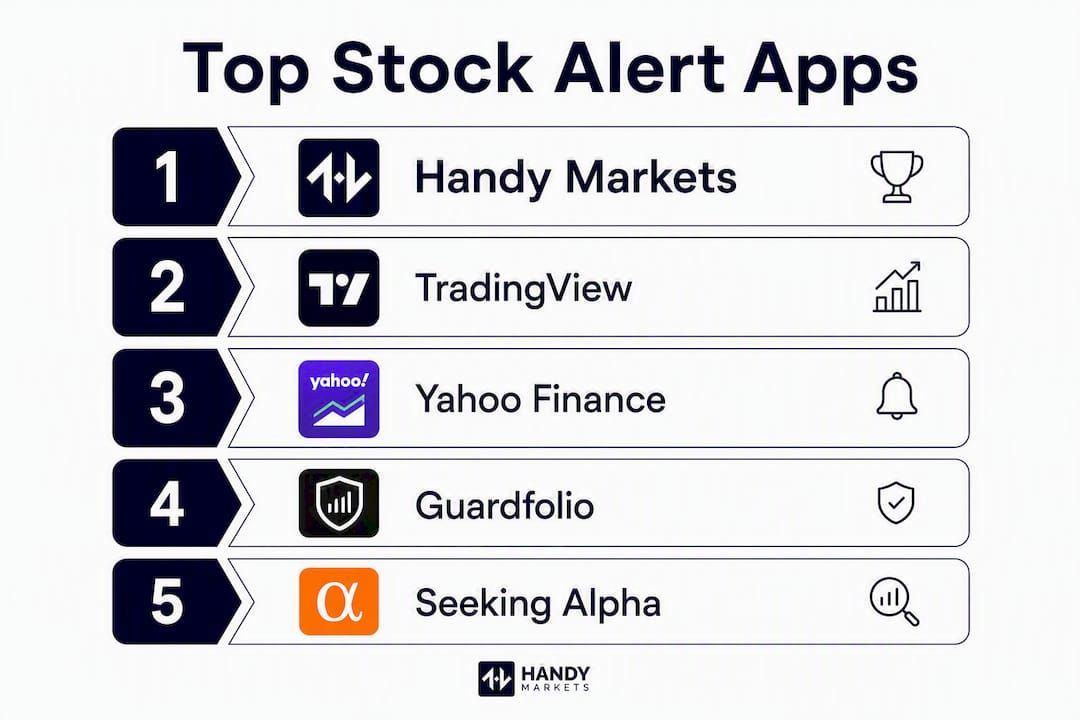
- Best overall: Handy Markets — multi-channel alerts across stocks, crypto, forex, and commodities; free tier available, paid plans unlock full channel access
- Best for technical alerts: TradingView — complex condition-based alerts tied directly to chart rules; free tier with limited alerts, paid from ~$14.95/month
- Best free/simple: Yahoo Finance — straightforward price notifications and watchlists; fully free for basic alerts
- Best for portfolio risk: Guardfolio — downside-protection and portfolio-level risk alerts; free trial available
- Best for social/copy trading: eToro — copy-trade and social feed alerts; free to join, spreads apply
- Best for options flow: Market Chameleon — unusual options activity and earnings alerts; free and paid tiers
Table of Contents
- How do the best stock alert apps compare side by side?
- How we tested and scored these alert apps
- Top picks: what each app actually does for you
- Which alert stack fits your trading style?
- How do you choose the right alert app and test it properly?
- Why does alert latency matter, and how fast is fast enough?
- Key Takeaways
- What we think about alert stacks in 2026
- Real-time alerts across every market, starting today
- Sources and further reading
How do the best stock alert apps compare side by side?
The table below covers the dimensions that matter most to active traders: what each app alerts on, how it delivers those alerts, how fast it moves, and what it costs. Latency is expressed as approximate round-trip delay from market event to notification. Last updated: 2026.
| App | Best for | Alert types | Delivery channels | Latency | Integrations | Platforms | Pricing | Customization |
|---|---|---|---|---|---|---|---|---|
| Handy Markets | Active traders needing cross-asset, multi-channel alerts | Price, % change, portfolio, cross-asset | Telegram, Discord, Slack, SMS, Webhook, Email | Seconds (real-time feed) | Portfolio import, webhook | Web | Free tier; paid plans for full channels | High: custom rules, % thresholds, multi-asset templates |
| TradingView | Technical-condition alert builders | Price, technical indicators, drawing alerts | Email, SMS, push, webhook, app | Seconds | Broker sync (select brokers) | iOS, Android, Web | Free (limited alerts); from ~$14.95/mo | Very high: Pine Script, boolean logic, multi-condition |
| Yahoo Finance | Casual investors wanting free price alerts | Price triggers, news headlines | Push, email | Minutes | Portfolio import | iOS, Android, Web | Free | Low: fixed price thresholds only |
| Guardfolio | Portfolio risk monitoring | Portfolio risk, drawdown, price | Push, email | Minutes | Portfolio import | iOS, Android, Web | Free trial; paid tiers | Medium: portfolio-level rules |
| Seeking Alpha | News and earnings-driven traders | Earnings, analyst ratings, price, news | Email, push | Minutes | Portfolio import | iOS, Android, Web | Free (limited); Premium from ~$19.99/mo | Medium: event-based filters |
| eToro | Social/copy-trade signal followers | Copy-trade triggers, social feed, price | Push, email | Minutes | eToro account | iOS, Android, Web | Free (spreads apply) | Low: social-driven |
| Market Chameleon | Options traders tracking unusual flow | Options flow, earnings, price | Email, web | Minutes | — | Web | Free and paid tiers | Medium: options-specific filters |
| Morningstar | Long-term investors and advisors | Portfolio alerts, research signals | Email, push | Minutes to hours | Portfolio import | iOS, Android, Web | Free (limited); paid plans available | Low to medium: research-driven |
| MarketWatch | Headline and price alert readers | Price, news headlines | Email, push | Minutes | — | iOS, Android, Web | Free | Low: basic thresholds |
| The Trading Analyst | Subscribers wanting curated trade alerts | Analyst-curated signals, price | Email, SMS | Minutes | — | Web, Email | Paid subscription | Low: pre-curated, not user-defined |
| Investor’s Business Daily | IBD-style growth and technical screen followers | Screen-based, CAN SLIM triggers, price | Email, push | Minutes | IBD portfolio tools | iOS, Android, Web | Free (limited); paid from ~$34.99/mo | Medium: IBD scan-driven |
Latency “seconds” = near-real-time feed; “minutes” = typical polling or push delay of 1–5 minutes under normal market conditions.
Stat to know: Specialized news monitors can scan 50+ financial news sources every 30–60 seconds and deliver alerts within seconds of a matching story publishing, while broad web indexers like Google Alerts lag by 1–6 hours.
How we tested and scored these alert apps
We evaluated each app across five weighted criteria designed to reflect what actually matters to an active retail trader, not just what looks good in a feature list.
- Latency (30%) — We added the same 10 tickers to each platform, set a 2% intraday move alert, and compared notification timestamps against a reference broker feed during regular market hours (9:30 AM–4:00 PM ET) and pre-market sessions. Round-trip delay was measured from the moment the price crossed the threshold to the moment the notification arrived.
- Reliability (20%) — We simulated missed-alert scenarios by toggling alerts on and off during high-volatility periods and tracked false positives (alerts firing without a genuine threshold breach) over a two-week window.
- Customization (20%) — We tested rule complexity: could the platform support percentage-based moves, boolean conditions, multi-asset templates, and webhook payloads? Broker price alerts are fast for price triggers but usually limited to fixed price thresholds, so platforms that support adaptive percentage rules scored higher here.
- Integrations (15%) — We checked broker sync, portfolio import, and webhook delivery to external tools (Zapier, Slack, custom endpoints).
- Price/value (15%) — We compared free-tier limits against paid-tier costs and assessed whether the upgrade was worth it for a retail active trader running 10–20 active alerts.
Pro Tip: Run your latency test during the first 30 minutes of market open (9:30–10:00 AM ET), when volatility is highest and alert queues are most stressed. That is when platform latency differences become most visible.
Scores were assigned on a 1–5 scale per criterion, then weighted. The rankings reflect the 2026 test window; platform updates may shift scores.
Top picks: what each app actually does for you
Handy Markets
Handy Markets is built for traders who need alerts across multiple asset classes without juggling five different apps. You can monitor stocks, crypto, forex, commodities, indices, and ETFs from a single dashboard and route alerts to Telegram, Discord, Slack, SMS, webhook, or email. That webhook support is the feature most platforms charge a premium for or skip entirely.
The platform’s smarter alert-building approach lets you set percentage-based thresholds rather than fixed prices, which keeps alerts relevant through earnings seasons and high-volatility stretches. Cross-asset templates mean you can replicate an alert structure across a whole watchlist in seconds.
Pros: Multi-channel delivery including webhook and Telegram; cross-asset coverage in one place Cons: Newer platform with a smaller community than TradingView; advanced features require a paid plan Pricing: Free tier available; paid plans unlock full channel access (pricing published on site) Platforms: Web
TradingView
TradingView is the go-to for traders who think in chart terms. Alerts can be tied to Pine Script conditions, drawing tools, or multi-indicator logic, which means you can fire a notification when RSI crosses 30 AND price touches a trendline simultaneously. That level of rule complexity is rare at any price point.
Pros: Unmatched technical-condition alert depth; large community script library Cons: Free tier limits alert count significantly; SMS alerts cost extra credits Pricing: Free (limited); paid plans from approximately $14.95/month Platforms: iOS, Android, Web
Yahoo Finance
Yahoo Finance does one thing extremely well: it gets out of your way. Price alerts are set in two taps, watchlists sync across devices, and the whole thing is free. For a casual investor tracking a handful of positions, that simplicity is genuinely valuable. The tradeoff is that alerts are fixed-price only, with no percentage triggers or webhook delivery.
Pros: Completely free; dead-simple setup Cons: Fixed-price thresholds only; no webhook or chat delivery Pricing: Free Platforms: iOS, Android, Web
Guardfolio
Most alert apps think at the single-stock level. Guardfolio thinks at the portfolio level, surfacing drawdown alerts and risk signals when your overall exposure shifts beyond a set threshold. That makes it a natural complement to a price-alert tool rather than a replacement.
Pros: Portfolio-level risk alerts that single-stock tools miss; downside-protection focus Cons: Narrower alert type library than charting platforms; less useful for day traders Pricing: Free trial; paid tiers available Platforms: iOS, Android, Web
Seeking Alpha
Seeking Alpha bundles editorial research with alerts, so when an analyst upgrades a stock you hold, you hear about it alongside the price move. Earnings event alerts are particularly well-executed. The free tier is limited; the Premium plan unlocks the full alert and research stack.
Pros: Earnings and analyst-event alerts with editorial context; strong research integration Cons: Premium pricing is steep for traders who only want alerts; research-heavy UI can feel cluttered Pricing: Free (limited); Premium from approximately $19.99/month Platforms: iOS, Android, Web
eToro
eToro’s alert system is woven into its social layer. You get notified when a trader you copy makes a move, when a Popular Investor you follow posts an update, or when a price threshold triggers. For traders who want community-driven signals rather than self-built rules, that social feed is the product.
Pros: Copy-trade alerts tied to real peer activity; social feed integration Cons: Alert customization is limited compared to charting platforms; spreads apply to all trades Pricing: Free to join; trading costs via spreads Platforms: iOS, Android, Web
Market Chameleon
Options traders have different needs: unusual flow, implied volatility spikes, and earnings-date proximity matter more than a simple price cross. Market Chameleon is built around those signals, with alerts for unusual options activity and earnings-driven volatility setups.
Pros: Options-specific analytics and unusual flow alerts; earnings calendar integration Cons: Limited utility for equity-only traders; web-only for most features Pricing: Free and paid tiers Platforms: Web
Morningstar
Morningstar’s alerts are designed for the patient investor: portfolio monitoring, star-rating changes, and fair-value estimate updates. Latency is not the point here. The platform’s strength is research depth, and its alerts reflect that, firing when analytical conclusions shift rather than when prices tick.
Pros: Research-backed signals; strong portfolio analytics Cons: Slow for active trading; Premium pricing is high relative to alert features alone Pricing: Free (limited); Premium available with a subscription fee Platforms: iOS, Android, Web
MarketWatch
MarketWatch offers free headline and price alerts tied to its news coverage. Setup is simple, delivery is via push or email, and the news integration means you sometimes get context alongside a price alert. Alert customization is basic, and there is no webhook support.
Pros: Free; news-integrated alerts Cons: No webhook or chat delivery; limited rule complexity Pricing: Free Platforms: iOS, Android, Web
The Trading Analyst
The Trading Analyst is a subscription service that sends you analyst-curated trade alerts rather than letting you build your own rules. If you want someone else to do the signal-finding work, that model has appeal. The tradeoff is that you are trusting someone else’s criteria, and you cannot customize the triggers.
Pros: Done-for-you alert curation; analyst-driven trade ideas Cons: No user-defined rules; subscription cost without a free tier for full access Pricing: Paid subscription Platforms: Web, Email
Investor’s Business Daily
IBD’s alerts are inseparable from its CAN SLIM methodology and proprietary ranking system. When a stock triggers an IBD screen, you get notified. For traders who already follow IBD’s growth-stock framework, that tight integration is the whole point. For everyone else, the learning curve is steep.
Pros: Screen-driven alerts tied to a proven growth-stock methodology; proprietary ranking integration Cons: Limited value outside the IBD framework; paid plans required for full alert access Pricing: Free (limited); paid from approximately $34.99/month Platforms: iOS, Android, Web
Pro Tip: Do not run more than 10–20 active alerts at once. Research on managing real-time alert stacks consistently shows that 5–10 high-signal alerts outperform dozens of noisy ones — you stop reading alerts when there are too many.
Which alert stack fits your trading style?
Your trading style determines which alert combination actually serves you, not which app has the longest feature list.
| Trader type | Primary tool | Complementary tools | Key delivery channel |
|---|---|---|---|
| Day trader | Handy Markets (webhook + Telegram) | TradingView (technical conditions) | Webhook / Telegram |
| Swing trader | Handy Markets (% move alerts) | Seeking Alpha (earnings events) | Push / Email |
| Options trader | Market Chameleon (unusual flow) | TradingView (IV alerts) | Email / Web |
| News-driven trader | Handy Markets (multi-channel) | MarketWatch (headline alerts) | Telegram / SMS |
| Portfolio manager | Guardfolio (portfolio risk) | Morningstar (research signals) | Email / Push |
| Casual investor | Yahoo Finance (free price alerts) | MarketWatch (headlines) | Push / Email |
Day traders need sub-second to low-second price alerts and webhook hooks that can trigger downstream automation. Handy Markets’s webhook delivery and Telegram integration cover that requirement directly. Pair it with TradingView for complex technical conditions.
Swing traders care more about multi-day percentage moves and earnings context than millisecond latency. A combination of price triggers with news context gives you signal quality that price-only alerts cannot match. Handy Markets handles the price side; Seeking Alpha adds the earnings layer.

Options traders need a different vocabulary entirely. Market Chameleon’s unusual flow alerts and earnings-proximity signals are purpose-built for that workflow. TradingView can add implied volatility condition alerts on top.
Pro Tip: For a hybrid stack that covers most active-trading scenarios, combine a real-time price alert tool (Handy Markets or TradingView) with a news monitor that rescans sources every 30–60 seconds. That pairing addresses both price reaction and news-first context before a major repricing.
How do you choose the right alert app and test it properly?
Prioritize latency, delivery reliability, and rule complexity for active trading. Everything else is secondary.
The trial checklist
Run these steps during any free trial before committing to a paid plan:
- Latency test — Add 10 tickers. Set a 2% intraday move alert on each. Compare notification timestamps to your broker’s price feed during the first 30 minutes of market open.
- Missed-alert simulation — Disable and re-enable alerts mid-session. Confirm the platform catches the next threshold breach without requiring a manual refresh.
- Multi-channel delivery test — Send the same alert to two channels (push + email, or Telegram + SMS). Confirm both arrive and check which is faster.
- Webhook delivery rate — If webhook is a priority, fire 5 test alerts and confirm all 5 reach your endpoint. Any drop rate above zero is a red flag for execution-critical workflows.
- Integration sync — Import your portfolio and confirm holdings appear correctly. Check whether the platform updates positions after a trade without manual intervention.
Red flags to walk away from
- No webhook support when your workflow depends on automation
- No audit log or alert history (you cannot diagnose missed alerts)
- Mobile push notifications that arrive inconsistently across iOS and Android
- Free-tier limits so restrictive that you cannot run a meaningful test
- Customer support that takes more than 24 hours to respond during a trial
Pro Tip: Adaptive percentage-based alerts stay relevant through volatile periods; fixed-price thresholds go stale quickly after earnings or major news. Always prefer a platform that supports percentage moves over one that only offers fixed-price triggers.
Why does alert latency matter, and how fast is fast enough?
For active retail traders, the answer is direct: price alerts under 1 second are ideal for scalping or algorithmic workflows; under 30–60 seconds is acceptable for most swing and news-driven traders. Beyond 5 minutes, you are reacting to history.
Google Alerts, which indexes broad web content, typically has a latency of 1–6 hours, making it unsuitable for any trading decision that depends on timely information. Broker push alerts are faster, often delivering in seconds, but they are usually limited to fixed-price thresholds rather than adaptive rules. Charting platforms like TradingView sit in between: near-real-time for price, slightly slower for complex condition evaluation.
Specialized news monitors occupy a different tier. A monitor that rescans 50+ financial news sources every 30–60 seconds can deliver an alert within seconds of a story publishing, which is meaningfully faster than any broad web indexer. That gap matters when a headline moves a stock before the price alert even fires.
Latency reality check: The practical difference between a 5-second and a 60-second alert is small for a swing trader holding a position for days. For a day trader trying to enter before a gap fills, it is the entire trade.
How to run your own latency test
- Note the exact timestamp when a known catalyst occurs (an earnings release, a Fed statement, a major headline).
- Record when your alert notification arrives on each platform you are testing.
- Calculate the round-trip delay: event time minus notification time.
- Repeat across three to five events to get a reliable average rather than a single data point.
Combining price triggers with news context is the most reliable way to avoid blind-reacting to a price move you do not understand. A price alert tells you something happened; a news alert tells you why.
Key Takeaways
The most effective alert stack for active retail traders combines real-time price triggers with news context alerts, delivered via webhook or Telegram for the lowest possible round-trip latency.
| Point | Details |
|---|---|
| Latency is the first filter | Price alerts under 60 seconds are acceptable for most retail active traders; Google Alerts typically has a 1–6 hour lag, making it unsuitable for trading. |
| Combine price and news alerts | Price-only alerts are reactive; pairing them with news context gives you signal quality before a major repricing. |
| Keep your alert count tight | Maintain 5–10 high-signal alerts rather than dozens; alert fatigue causes traders to miss the signals that matter. |
| Test webhook delivery in every trial | A drop rate above zero on webhook delivery is a red flag for any execution-critical workflow. |
| Handy Markets covers the full stack | Multi-channel delivery (Telegram, Discord, webhook, SMS, email) across stocks, crypto, forex, and commodities from a single dashboard. |
What we think about alert stacks in 2026
The conventional wisdom says “just set a price alert and you’re covered.” That framing misses the most important shift in how active traders actually use alerts today.
Price alerts are table stakes. The real edge comes from what happens around the alert: the delivery channel that routes it to your workflow, the rule complexity that filters noise from signal, and the news layer that tells you whether a price move is a buying opportunity or a warning sign. Most traders we see set a fixed-price alert, watch it fire at the wrong moment after a stock has already moved, and conclude that alerts “don’t work.” The alert worked fine. The setup was wrong.
The platforms that matter in 2026 are the ones that support adaptive percentage rules, multi-channel delivery, and webhook integration. Fixed-price alerts on a single push channel are a 2015 solution to a 2026 problem. Volatility has not gotten simpler; your alert infrastructure should not stay simple either.
One more thing worth saying plainly: no alert tool replaces a trading plan. An alert is a prompt to act, not a decision. The traders who get the most from alert stacks are the ones who have already decided, in advance, what they will do when the alert fires. The alert just tells them when.
Real-time alerts across every market, starting today
Most traders piece together three or four apps to get what Handy Markets delivers in one place: real-time price data across stocks, crypto, forex, commodities, indices, and ETFs, with alerts routed to Telegram, Discord, Slack, SMS, webhook, or email the moment a threshold is crossed.
The setup takes minutes. Add your watchlist, choose your delivery channel, set a percentage-based threshold, and your first alert is live. Webhook support means those alerts can trigger downstream automation without any manual step. For traders who have been stitching together broker alerts, a charting platform, and a news monitor separately, the consolidation alone saves meaningful time each session.
Visit the Handy Markets markets page to explore the full alert feature set and start a free trial. A free tier is available; paid plans unlock the full range of delivery channels and rule options.
Sources and further reading
| Source | What it covers |
|---|---|
| How to Set Stock Price Alerts: A Complete Guide — Catalayer | Latency benchmarks, alert types, and best practices for active traders; primary source for latency and rule-complexity guidance in this article |
| Best Stock Alert Apps 2026 — Guardfolio | Independent roundup of stock alert apps with free and paid tier comparisons; useful for cross-checking feature availability |
| Best Stock Alert Services — The Trading Analyst | Expert review of curated alert services and subscription alert models |
| Build Smarter Financial Market Alerts — Handy Markets | Practical guide to constructing low-latency alert stacks and testing alert performance |
| How Smart Alerts Help You Invest Better, Faster — Handy Markets | Multi-channel alert strategy and signal-volume management |
| Market Monitoring Guide: Real-Time Alerts For Traders — Handy Markets | Step-by-step monitoring playbook and recommended alert counts for retail traders |
| Best Stock Portfolio Tracker Apps — StockAnalysis | Third-party roundup of portfolio tracker and alert app features, free-tier limits, and UI quality |
| Price Alerts — Robinhood Support | Broker-level documentation on how price movement alerts work for stocks, ETFs, and crypto |
| Stock Alerts — StockCharts.com | Technical alert setup documentation covering simple price alerts and advanced technical alert conditions |
This article was last updated in 2026. If you find a broken link or a product that has changed its pricing or features, please reach out so we can keep the information current.