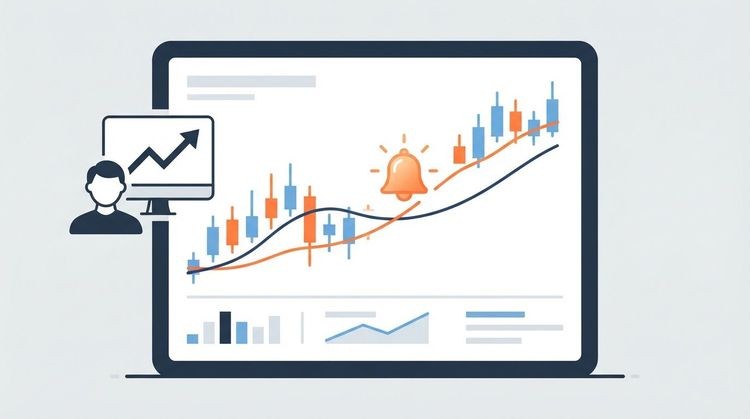

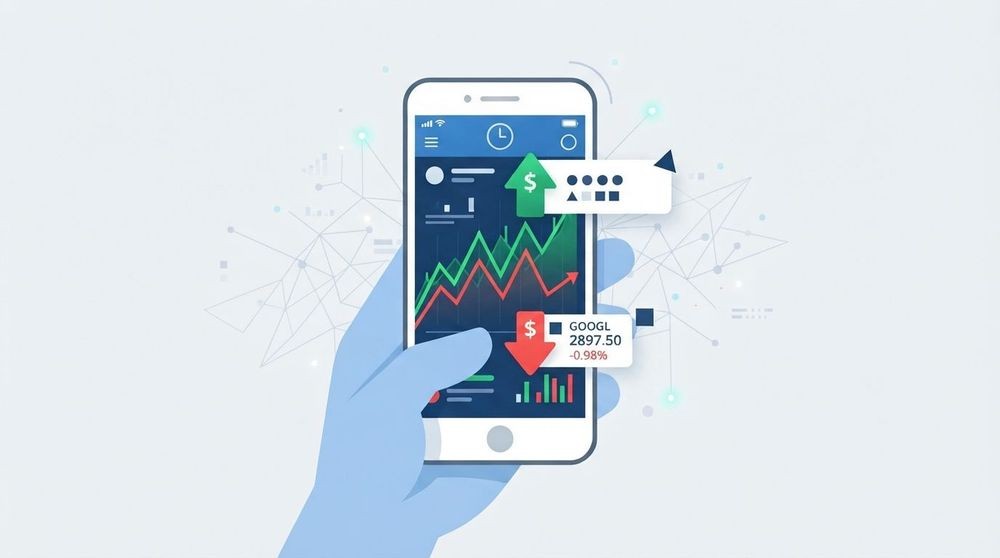
Stock buy and sell alerts are customizable monitoring notifications that fire when a security hits a price level, percent-change threshold, technical trigger, or news event — they tell you something happened, not what to do next. Think of them as the heartbeat monitor of your portfolio: they pulse when conditions shift, and you decide how to respond. For U.S. retail investors who want reliable, multi-channel coverage across stocks, crypto, commodities, and FX, Handy Markets is a strong starting point for building that system.
A quick note: everything here is general market-monitoring information, not financial advice. Always confirm investment decisions with a qualified financial professional.
Key things stock buy and sell alerts can do for you:
- Notify you the moment a stock crosses a price you care about
- Flag unusual volume or momentum before a move fully develops
- Route alerts to your phone, Telegram, email, or a webhook simultaneously
- Help you manage positions without watching screens all day
Key Takeaways
Stock buy and sell alerts are monitoring tools that reduce decision latency and enforce discipline — they should trigger investigation, not immediate trades.
| Point | Details |
|---|---|
| Alerts are monitoring notifications | They signal a condition was met; what you do next requires your own analysis and judgment. |
| Stack signals to reduce noise | Combining price, volume, and news filters raises alert quality and cuts false positives. |
| Match channel to latency need | Use push or Telegram for time-sensitive triggers; email for audit trails and daily monitoring. |
| Behavioral risk is real | A CNBC-reported study found alert users traded more and underperformed non-users over six months. |
| Handy Markets covers all asset classes | Real-time alerts across stocks, ETFs, crypto, commodities, and FX with six delivery channel options. |
Table of Contents
- What types of stock buy and sell alerts should you use?
- How do you set up a stock alert monitoring system step by step?
- How do you use alerts without overtrading or chasing noise?
- How do you fit alerts into your daily trading workflow?
- What should you expect for alert latency, reliability, and cost?
- How do you test and troubleshoot alerts when something goes wrong?
- How does Handy Markets handle alerts across assets and channels?
- Alerts work best when they serve a plan, not replace one
- Real-time monitoring alerts, built for how you actually invest
- Sources
What types of stock buy and sell alerts should you use?
Fidelity recommends four core alert categories for investors who cannot watch markets continuously: price level, percentage change, moving-average crossover, and 52-week high/low. In practice, the full menu is wider.
- Price-level alerts fire when a ticker crosses an absolute dollar threshold. Use them to flag planned entry or exit prices, or to watch a support/resistance level you’ve drawn on a chart.
- Percent-change alerts measure intraday or daily moves relative to the prior close. Useful for momentum monitoring, but apply them cautiously on thinly traded names where a single large order can trigger a misleading spike.
- Volume/spike alerts trigger when volume exceeds a multiple of the average. A stock trading three times its normal volume before noon often signals institutional activity worth investigating.
- Technical-indicator alerts cover moving-average crossovers (e.g., 50-day crossing the 200-day), RSI thresholds, and MACD signals. Robinhood’s alert documentation lists moving-average crossings and 52-week extremes as standard presets on major broker platforms.
- News/keyword alerts watch for SEC filings, earnings releases, or press mentions tied to a company or sector. These are especially valuable around earnings season when price moves can be violent and fast.
- Scanner-based multi-filter alerts combine conditions, for example: price above $50, volume up 200%, and RSI below 40. A single price alert tells you a level was hit; a scanner alert tells you a setup may be forming.
The difference matters. A breakout alert fires when a stock crosses $100. A scanner alert fires when that same stock crosses $100 and volume is already running at twice its average and the sector ETF is up on the day. The second alert carries far more information.
Pro Tip: Swing traders benefit most from price-level and moving-average alerts. Day traders should prioritize volume spikes and scanner-based triggers. Long-term investors can rely almost entirely on 52-week high/low and percent-change alerts to monitor positions without noise.
How do you set up a stock alert monitoring system step by step?
A reliable alert on stock price system follows a consistent build sequence. Skipping steps, especially the test phase, is where most setups break down.
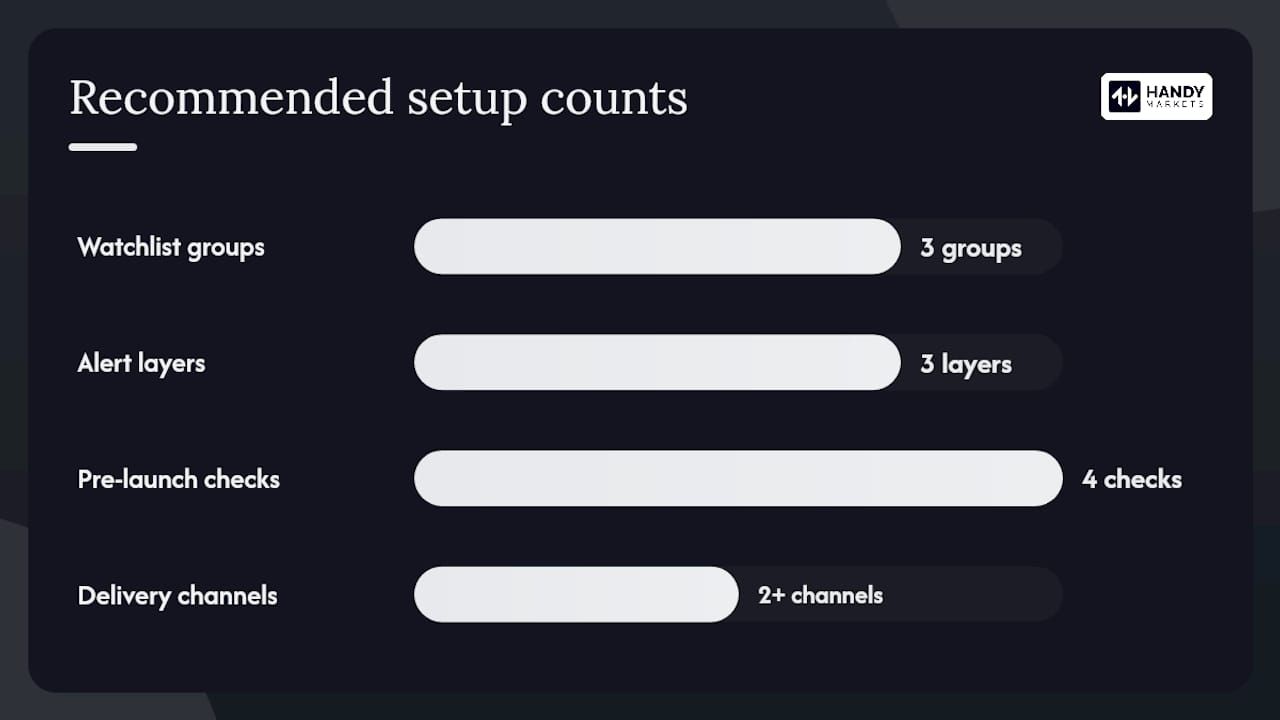
- Build and prioritize your watchlist. Group tickers by role: core holdings, watchlist candidates, and sector proxies. Limit active alerts to names you’d actually act on after investigation.
- Choose your trigger type and threshold. Match the trigger to your strategy. A long-term investor monitoring a position might set a 10% drawdown alert. An active trader watching for a breakout sets a price-level alert just above resistance.
- Select your delivery channel(s). Choose at least two channels for redundancy. Push notifications for immediacy, email for a paper trail, and a webhook if you want to log alerts automatically.
- Configure cooldowns and filters. A cooldown prevents the same alert from firing every minute during a volatile session. Minimum-volume filters block alerts on illiquid names where percent moves are meaningless.
- Run a pre-launch test. Trigger the alert synthetically by temporarily setting the threshold to the current price. Confirm delivery across every channel, measure the time from trigger to receipt, and check for duplicates.
- Go live and schedule a weekly review. Markets change. An alert threshold that made sense three months ago may now be irrelevant. Review and adjust on a fixed schedule.
Pre-launch checklist:
- Delivery confirmed on all selected channels
- Latency measured under live market conditions
- Duplicate suppression verified
- At least one false-positive scenario tested (e.g., a pre-market gap that reverses at open)
Pro Tip: Build your smarter financial market alerts workflow in layers: start with a price-level alert, then add a volume filter, then layer in a news trigger. Each layer raises the quality of the signal.
How do you use alerts without overtrading or chasing noise?
The most important rule is also the most overlooked: an alert should trigger investigation, not an immediate trade. CNBC reported on a study finding that price-tracking alerts were associated with increased trading and, for the study sample, lower short-term performance compared with non-users over a six-month window. The alerts themselves were not the problem. Reacting to them impulsively was.
Practical behavioral rules that help:
- Predefine your response before setting the alert. Write down: “If this fires, I will check volume, read the news, and decide within 30 minutes.” An alert without a predefined response plan is just noise with a notification sound.
- Set minimum volume filters. A 5% move on 50,000 shares is not the same event as a 5% move on 5 million shares. Filter out the former.
- Use cooldowns aggressively. One notification per hour per ticker is usually enough. Without cooldowns, a volatile session can flood your phone and dull your attention to genuinely important signals.
- Avoid percent-only triggers on low-liquidity names. Small-cap and micro-cap stocks can move 10% on a single retail order. Percent alerts on these names generate far more false positives than actionable signals.
Statistic callout: The CNBC-reported study found that alert users in the sample traded more frequently and underperformed non-users over a six-month period, suggesting that alert volume without discipline can work against long-term returns.
Pro Tip: Stack signals before acting. A price alert alone is a single data point. Add volume confirmation and a quick news check, and you have a thesis worth evaluating. Smart alerts work best when they start a process, not end one.
How do you fit alerts into your daily trading workflow?
The right alert setup depends on how much of your day you can dedicate to monitoring. Three common profiles:
Part-time investor: Set price-level and 52-week high/low alerts on core holdings. Route everything to email. Check once at market close. No intraday noise, no impulsive mid-session decisions.
Active intraday trader: Prioritize volume-spike and scanner-based alerts routed to push notifications and Telegram for immediate mobile delivery. Use a webhook to log every alert automatically to a trade journal spreadsheet.
Swing trader: Combine moving-average crossover alerts for trend monitoring with price-level alerts near key technical levels. Route to SMS for after-hours coverage and email for a searchable record.
Channel routing guidance:
- Push notifications: Fastest delivery for mobile; best for time-sensitive triggers
- SMS: Reliable for after-hours and situations where app notifications are muted
- Email: Best for a searchable audit trail; not suitable for sub-minute latency needs
- Telegram/Discord/Slack: Excellent for team monitoring or routing different asset classes to separate channels
- Webhook: Connects alerts to automation tools, trade journals, or custom dashboards without manual copying
For team setups, routing equity alerts to one Slack channel and crypto alerts to another keeps signal types separated and reduces cognitive load during active sessions. A real-time monitoring workflow that matches your schedule is more sustainable than one optimized purely for speed.
What should you expect for alert latency, reliability, and cost?
Modern real-time alert systems aim to minimize decision latency by notifying traders the moment a monitored condition occurs, preventing the common problem of chasing a move that has already developed. The channel you choose affects how quickly that notification reaches you.
Push notifications and webhooks typically deliver in under a few seconds on a real-time data feed. SMS can add a few seconds of carrier delay. Email is the slowest, often arriving 15–60 seconds after the trigger, which matters for intraday strategies but is irrelevant for daily or weekly monitoring.
Cost tiers to know:
- Broker-native alerts (free): Most U.S. brokers include basic price and percent-change alerts at no extra cost. Coverage is limited to assets the broker supports, and alert types are usually fewer.
- Third-party data platforms (subscription): Platforms like Handy Markets offer cross-asset coverage, multi-channel delivery, and scanner-based triggers that broker tools typically lack. Subscription costs vary by tier and feature set.
- Enterprise real-time feeds: Institutional-grade data with sub-second latency and API access. Priced for professional desks, not retail portfolios.
Hidden costs worth noting: SMS delivery fees on high-volume alert plans, webhook maintenance if you build custom integrations, and the time cost of managing alert fatigue when thresholds are set too loosely.
For security, always use authentication tokens on webhooks and store API keys in environment variables rather than hardcoded in scripts. A misconfigured webhook endpoint is an open door.
How do you test and troubleshoot alerts when something goes wrong?
A live alert system needs a test plan, not just a setup. Automated alerts reduce decision latency only when they actually deliver reliably, and delivery failures are more common than most traders expect.
Test checklist:
- Set a synthetic trigger at the current price and confirm end-to-end delivery on every channel
- Measure time from trigger to receipt under live market conditions, not just off-hours
- Send two triggers in rapid succession to verify duplicate suppression is working
- Simulate a false positive (e.g., a pre-market spike that reverses) to confirm cooldown behavior
| Problem | Likely cause | Fix |
|---|---|---|
| Alert never arrives | Wrong channel config or muted notifications | Recheck channel settings; test each channel independently |
| Duplicate alerts | No cooldown set | Enable cooldown; set minimum interval per ticker |
| Late delivery (minutes, not seconds) | Email routing or delayed data feed | Switch to push or SMS for time-sensitive triggers |
| False positives | Threshold too close to current price | Widen threshold; add volume filter |
| Alert fires then reverses | No confirmation filter | Stack a volume or news condition before the trigger fires |
For ongoing health monitoring, review your alert log weekly. Look for triggers that fired but led to no meaningful price continuation. Those are candidates for threshold adjustment or filter addition. A daily spot-check during the first week of any new alert setup catches most configuration errors before they cost you a missed opportunity.
How does Handy Markets handle alerts across assets and channels?
Handy Markets supports real-time price alerts across stocks, ETFs, crypto, commodities, indices, and national currencies, all from a single dashboard. Delivery channels include Telegram, Discord, Slack, SMS, webhook, and email, which means you can route equity alerts to one channel and crypto alerts to another without managing separate tools.
Supported asset classes:
- Stocks and ETFs with live quotes and chart-based alert setup
- Cryptocurrencies, commodities, and national currencies with the same alert interface
Setting up alerts on Handy Markets:
- Open the markets page and search for your ticker or asset.
- Click the alert icon on the asset’s detail view.
- Set your price threshold or percent-change trigger.
- Select one or more delivery channels.
- Save and run a test notification to confirm delivery.
An example workflow: you’re swing trading a tech stock and want to know if it breaks above its 52-week high on above-average volume. Set a price-level alert at the high on Handy Markets, route it to Telegram for immediate mobile delivery, and add an email copy for your journal. When the alert fires, you investigate volume and news before deciding anything.
Pro Tip: Use Handy Markets’ webhook channel to pipe alerts into a Google Sheet or Notion database automatically. Over time, that log becomes a searchable record of every condition that triggered your attention, which is genuinely useful for refining thresholds.
Pricing details and plan limits are listed on the Handy Markets price alert page. Check there for current tier options before committing to a setup.
Alerts work best when they serve a plan, not replace one
Here is the honest tension in alert-driven investing: the same tool that keeps you informed can also keep you reactive. We’ve seen this pattern repeatedly in how retail investors describe their alert habits. The alerts fire, the phone buzzes, and the instinct is to do something. That instinct is the real risk, not the alert itself.
The most disciplined investors we observe treat alerts as the start of a checklist, not the end of a decision. An alert fires. They check volume. They read the news. They ask whether the move fits their existing thesis. Only then do they consider acting. That three-step pause between notification and action is where most of the behavioral value lives.
Handy Markets is built around this monitoring-first philosophy. The platform’s multi-channel delivery and cross-asset coverage are designed to keep you informed without requiring you to watch a screen. But the discipline to investigate before trading? That part is yours to build.
Real-time monitoring alerts, built for how you actually invest
Broker-native alerts are a reasonable starting point, but they cap out quickly: limited asset classes, fewer trigger types, and no cross-channel routing. Handy Markets gives you real-time alerts across every major asset class — stocks, ETFs, crypto, commodities, FX, and indices — delivered to Telegram, Discord, Slack, SMS, webhook, or email, all from one place.
The setup takes minutes. Pick your assets, set your thresholds, choose your channels, and test. No complex integrations required for the core workflow. For traders who want webhook automation or multi-channel redundancy, those options are there when you’re ready.
Visit Handy Markets to set up your first real-time price alert and see which plan fits your monitoring needs.
This article is general market-monitoring information only, not financial advice. Confirm all investment decisions with a qualified financial professional.
Sources
- Stock Alert System: Set Up Real-Time Price and News Alerts
- Price alerts | Robinhood
- 4 ways to use alerts when investing | Fidelity
- Like getting price-tracking alerts from your online broker? Here’s why you should be careful
- How Automated Stock Alerts Help Retail Investors Trade Smarter
This article is general information, not a substitute for advice from a qualified financial advisor. Consult a qualified financial professional about your own circumstances before acting on anything here.