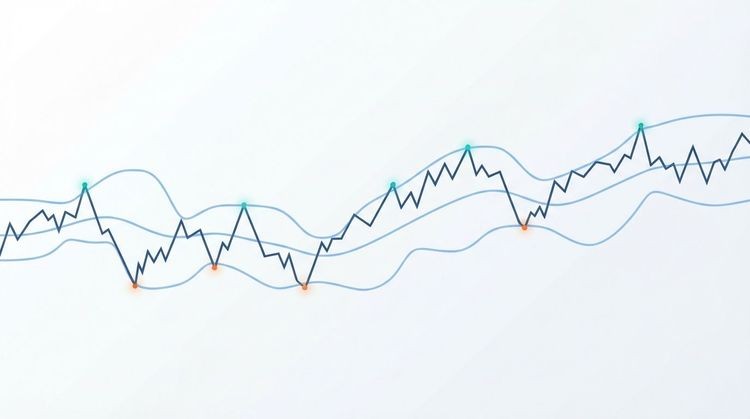


A moving average alert fires when price crosses a moving average line, or when a faster MA crosses a slower one, signaling a potential trend shift. The quickest way to start receiving reliable crossover notifications right now:
- Handy Markets (set up a price alert free): add any asset, define your MA crossover condition, choose Telegram, Discord, Email, SMS, or Webhook delivery, and you’re live in minutes.
- TradingView: add two EMA plots, create an alert with the “Crossing” condition, and enable “Only trigger on bar close.”
- MT4/MT5: install a custom MA crossover indicator (the platforms have no built-in crossover alert), configure popup, email, or push notifications, and keep the terminal running or use a VPS.
Pro Tip: Always trigger alerts on candle close, not on real-time price. MAs can cross and uncross multiple times within a single bar, so a mid-bar trigger fires false signals. Waiting for the closed candle confirming the signal and cuts noise dramatically.
Key Takeaways
Moving-average crossover alerts are most reliable when triggered on candle close, validated through backtesting, and delivered through a multi-channel platform like Handy Markets.
| Point | Details |
|---|---|
| Trigger on candle close | Always require bar-close confirmation to prevent repainting and false mid-candle signals. |
| Match MA type to timeframe | Use EMA for intraday and short-term swing setups; use SMA for long-term trend signals like the 50/200 golden cross. |
| Backtest before going live | Measure win rate, risk-reward, drawdown, and expectancy across many signals before trusting live alerts. |
| Use multi-channel delivery | Combine push, email, and webhook delivery so critical crossover signals reach you regardless of where you are. |
| Handy Markets simplifies setup | Handy Markets delivers MA crossover alerts across stocks, ETFs, crypto, and forex via Telegram, Discord, Slack, SMS, Email, and Webhook, with no terminal required. |
This article is general information, not a substitute for advice from a qualified financial advisor. Consult a qualified financial professional about your own circumstances before acting on anything here.
Table of Contents
- What types of moving-average alerts should you use?
- How do you set an EMA crossover alert on TradingView and MT4/MT5?
- What to expect when installing MA alert indicators on MetaTrader 4/5
- Best practices and common pitfalls with moving-average alerts
- Common configurations and copyable moving-average alert strategies
- Where should you run moving-average alerts and how do you receive them?
- How to set moving-average alerts on Handy Markets
- How to backtest and validate your MA crossover alerts quickly
- When moving-average alerts help most, and when they don’t
- Ready to monitor your first MA crossover signal?
- Sources
What types of moving-average alerts should you use?
Not every alert type fits every trading style. There are four practical categories, and choosing the wrong one for your timeframe is one of the fastest ways to drown in noise.
| Alert Type | Trigger Condition | Best For | Noise Level |
|---|---|---|---|
| Price crosses MA | Price bar closes above/below a single MA | Trend re-entry, mean-reversion | Medium |
| MA crossover | Fast MA crosses slow MA (e.g., 9 EMA / 21 EMA) | Trend-following, momentum | Low–Medium |
| MA direction change | MA slope flips from rising to falling (or vice versa) | Early trend detection | High |
| Proximity alert | Price approaches MA within a set % threshold | Support/resistance monitoring | Medium |
The crossover type is the most widely used because it filters out single-candle spikes. Direction-change alerts fire earlier but produce more false positives, especially in choppy markets.
Choosing between SMA, EMA, and WMA matters here:
- EMA (Exponential Moving Average): weights recent prices more heavily, responds faster. Preferred for intraday and short-term swing setups.
- SMA (Simple Moving Average): equal weight across all periods, smoother and slower. Standard for long-term signals like the 50/200 golden cross.
- WMA (Weighted Moving Average): similar to EMA in responsiveness, less commonly used but available in most platforms including the MA Crossover Alerts indicator on MQL5.
For real-time delivery, price-cross and proximity alerts make sense. MA crossover and direction-change alerts are almost always better delivered on candle close, since the signal only means something once the bar has confirmed.
How do you set an EMA crossover alert on TradingView and MT4/MT5?
The minimum steps are the same across platforms: add two MAs, define the crossover condition, require bar close, and pick a notification channel. Here’s how each platform handles it.
TradingView
- Open your chart and click Indicators. Search “Moving Average” and add it twice, once for each period (e.g., 9 and 21).
- Set the first MA to EMA, period 9, source Close. Set the second to EMA, period 21, source Close.
- Click the Alert button (clock icon) or press Alt+A.
- In the Condition dropdown, select your 9 EMA plot, then choose Crossing and select the 21 EMA plot.
- Under “Options,” check “Only trigger on bar close” to avoid mid-candle noise.
- Choose your notification channels: app push, email, or webhook.
- Name the alert and click Create.
MT4/MT5
MT4 and MT5 have no built-in MA crossover alert. You need a custom indicator. A practical MT4 setup guide walks through downloading an .ex4 file, placing it in the Custom Indicators folder, and configuring popup, email (via SMTP), and push notifications using your MetaQuotes ID.
- Download a non-repainting MA crossover indicator (.ex4 for MT4, .ex5 for MT5).
- Place the file in File > Open Data Folder > MQL4/Indicators (MT4) or MQL5/Indicators (MT5).
- Restart the terminal, then drag the indicator onto your chart.
- In the indicator settings, set fast period, slow period, MA method, and applied price (Close).
- Enable alert types: popup, email, and/or push. For email, configure SMTP in Tools > Options > Email (Gmail users need an app password). For push, copy your MetaQuotes ID into Tools > Options > Notifications.
- Confirm “trigger on close” is enabled if the indicator supports it.
Pro Tip: For intraday trading, the 9/21 EMA crossover on a 15-minute or 1-hour chart gives a good balance of signal frequency and reliability. For swing trading, the 20/50 EMA on the daily chart filters out most short-term noise. The classic 50/200 SMA golden cross is best reserved for long-term trend confirmation rather than active entries.
What to expect when installing MA alert indicators on MetaTrader 4/5
Installation is straightforward, but a few details trip up even experienced traders.
Installation checklist:
- Download the indicator file: .ex4 or .mq4 for MT4; .ex5 or .mq5 for MT5.
- Open the data folder: File > Open Data Folder in the terminal.
- Place the file in MQL4/Indicators (MT4) or MQL5/Indicators (MT5).
- Restart MetaTrader completely (close and reopen, not just refresh).
- Find the indicator under Navigator > Custom Indicators and drag it onto the chart.
Parameters to configure:
- Fast MA period and slow MA period (e.g., 9 and 21, or 50 and 200)
- MA method: SMA, EMA, or WMA
- Applied price: use Close for candle-close confirmation
- Alert types: popup, email, push (enable only what you’ll actually monitor)
- “Trigger on close” or “Wait for bar close” option: always enable this
Security and reliability notes:
- Review the source code before installing any indicator, or stick to open-source files from reputable MQL5 marketplace authors. The MA Crossover Alerts indicator by Chart Walker is a well-documented example with customizable MA methods, multiple alert types, and backtesting options.
- Run any new indicator on a demo account first. Confirm alerts fire correctly before switching to live.
- MT4/MT5 must be running for alerts to fire. For 24/7 coverage, run the platform on a low-latency VPS and route alerts via push or webhook. The VPS must maintain an active platform session for push and email delivery to work.
Best practices and common pitfalls with moving-average alerts
The single most important rule: use candle-close triggers and backtest before trusting any alert in live trading. Everything else is secondary.
Common pitfalls to avoid:
- Repainting: an indicator that redraws past signals is useless for live alerts. Verify that your indicator only confirms on bar close. The Moving Average Cross Signal indicator addresses this by issuing a preliminary on-bar warning and a confirmed arrow only after the bar closes, with one signal per bar to prevent duplicates.
- Periods that are too short: a 3/8 EMA crossover on a 1-minute chart fires dozens of signals per session. Most are noise. Start with periods that match your actual holding time.
- Ignoring market context: MA crossovers perform well in trending markets and poorly in sideways ranges. An alert that fires 10 times a week in a ranging market is not a signal, it’s a distraction.
- Over-optimization: fitting MA periods to a specific historical window produces setups that look perfect in backtests and fail in live trading. Test across multiple market regimes.
- Acting on mid-bar signals: a crossover that forms at 2:47 PM may reverse before the 3:00 PM candle closes. Candle-close logic stabilizes signals by waiting for the final price before confirming.
Before going live, check these metrics in your backtest:
- Win rate (target: above 40% for trend-following systems with favorable risk-reward)
- Average risk-reward ratio (aim for at least 1.5:1)
- Maximum drawdown (should be tolerable relative to your account size)
- Signal frequency (too many signals per week suggests over-sensitivity)
- Expectancy: (win rate × average win) minus (loss rate × average loss)
A backtest covering at least 100 signals across different market conditions gives a meaningful read. Fewer signals than that and the results are largely statistical noise.
Common configurations and copyable moving-average alert strategies
Three setups cover the majority of practical use cases. Each is designed to be tested as-is, then adjusted based on your backtest results.
Example entry/exit rules (9/21 EMA intraday):
- Entry: 9 EMA crosses above 21 EMA on a closed 15-minute candle, with price above the 50 EMA (trend filter)
- Exit: 9 EMA crosses back below 21 EMA, or price hits a 1.5:1 reward-to-risk target
- Stop: below the most recent swing low
- Position size: risk no more than 1% of account per trade
For filtering, require that volume on the crossover candle is above its 20-period average. This single filter removes a significant portion of low-conviction signals. You can find alert templates and high-value examples that apply similar logic across asset classes.
| Setup | Timeframe | Signal Frequency | Use Case |
|---|---|---|---|
| 9/21 EMA crossover | 15-min / 1-hour | High (multiple per week) | Intraday momentum trading |
| 20/50 EMA crossover | 4-hour / Daily | Medium (several per month) | Swing trading trend entries |
| 50/200 SMA golden/death cross | Daily / Weekly | Low (a few per year) | Long-term trend confirmation |

The VegaXLR indicator for cTrader supports proximity alerts alongside crossovers, which is useful for the 20/50 setup: you can get an early warning when the two MAs are within 0.5% of each other, then wait for the confirmed crossover alert before acting.
For strategy optimization beyond these defaults, systematic parameter tuning resources can help you understand how varying MA periods affects signal robustness across different market conditions.
Where should you run moving-average alerts and how do you receive them?
Platform choice determines both what alert types you can configure and how reliably you receive them.
Platform categories:
- Web alert platforms (Handy Markets): browser-based, no software to install, multi-asset watchlists, multi-channel delivery. Lowest maintenance.
- Charting platforms (TradingView): built-in alert engine with crossover conditions, strong for equities and crypto, webhook support on paid plans.
- Trading terminals (MT4/MT5): deepest customization via custom indicators, but require a running instance or VPS. Best for forex and CFD traders.
- Mobile apps: dedicated MA crossover apps like MACrossover (available on Google Play) cover forex, crypto, indices, and metals with real-time push notifications. Convenient for monitoring on the go.
- Indicator marketplaces (MQL5, cTrader store): source for pre-built, community-tested indicators with alert functionality already built in.
Delivery channels and what they’re good for:
- Push notifications: fastest delivery to mobile, ideal for time-sensitive entries. Requires the platform app or a push-enabled service.
- Email: reliable but slower. Good for daily or swing setups where a 5-minute delay doesn’t matter.
- SMS: high visibility, works without internet. Best as a backup for critical alerts.
- Webhooks: lowest latency for automation. Route alerts into Discord, Slack, Telegram, or directly to a trade-execution bot.
- Telegram/Discord/Slack: readable, searchable alert history. Telegram alerts with optional chart screenshots are supported by tools like VegaXLR.
- Platform-native popups: only useful if you’re watching the screen. Not suitable for 24/7 monitoring.
Pro Tip: Webhooks are the most automation-friendly delivery channel. Pipe your MA crossover alerts into a trade automation workflow or a chat tool, and you can log every signal, filter duplicates, and even trigger order routing without manual intervention. For traders running multiple strategies, this is far more scalable than watching popups.
For a deeper look at configuring real-time alert delivery across channels, the market monitoring guide for traders covers the full setup workflow.
How to set moving-average alerts on Handy Markets
Handy Markets is built for exactly this use case: monitoring multiple assets for MA crossovers without running a terminal 24/7 or managing custom indicator files.
Setup steps:
- Add your MA condition: choose MA type (SMA or EMA), set the fast and slow periods, and select the crossover direction (bullish or bearish).
- Choose your delivery channels: Telegram, Discord, Slack, Email, SMS, or Webhook. You can enable multiple channels simultaneously.
- Test the alert in demo mode before activating it for live monitoring. Confirm the notification arrives on your chosen channel.
Why traders use Handy Markets for MA alerts:
- Multi-channel delivery (Telegram, Discord, Slack, Email, SMS, Webhook) from a single dashboard
- Centralized watchlists across asset classes, so you monitor stocks, ETFs, crypto, and forex in one place
- No terminal to keep running, no VPS required
- Webhook support for connecting alerts to automation tools or chat bots
- Lower ongoing maintenance compared to managing MT4/MT5 indicator files and SMTP configurations
Pro Tip: Use Handy Markets webhooks to pipe MA crossover alerts directly into a Telegram group or a trade-management bot. This gives you a searchable, timestamped log of every signal, which is useful for reviewing alert quality after the fact and for building smarter alert workflows over time.
How to backtest and validate your MA crossover alerts quickly
Backtesting before going live is not optional. An alert setup that looks clean on a chart may have a negative expectancy when measured across 100+ signals.
Basic backtest workflow:
- Choose your timeframe and sample period: use at least 6 months of data for intraday setups, 2+ years for daily/swing setups. Include both trending and ranging market periods.
- Run the historical crossover test: mark every crossover signal on your chosen MA pair and record the entry price, direction, and outcome at your target exit.
- Apply your filters: add volume confirmation, higher-timeframe trend alignment, or proximity thresholds, and re-measure how many signals survive and whether the metrics improve.
- Measure key metrics: win rate, average risk-reward, maximum drawdown, signal frequency per month, and expectancy.
- Out-of-sample test: reserve the most recent 20–30% of your data and test the final setup on that period only. If performance degrades sharply, the setup is over-fit.
What to look for:
- Win rate above 40% for trend-following setups with a 1.5:1 or better risk-reward
- Maximum drawdown that stays within your risk tolerance
- Signal frequency that matches your available trading time
- Consistent results across both trending and sideways periods (not just one regime)
For crypto-focused backtesting frameworks and methodology, there are structured resources that walk through how to measure these metrics systematically.
Vary your MA periods by ±2–5 bars around your chosen setting and check whether the metrics hold. If performance collapses with a small period change, the setup is fragile. Robust setups tend to show stable metrics across a range of nearby parameters.
When moving-average alerts help most, and when they don’t
MA alerts add the most value in two situations: trend-following across multiple assets simultaneously, and systematic monitoring where you can’t watch every chart in real time. When price is trending cleanly and you’re tracking 20 or 30 tickers, a well-configured crossover alert does the scanning work for you.

The honest limitation is that MA crossovers are lagging by design. They confirm a trend that has already started, which means entries are rarely at the optimal point. In sideways or choppy markets, the same lag that filters noise in a trend becomes a source of repeated false signals. We’ve seen setups that perform beautifully on a trending daily chart produce a string of losses on the same pair during a consolidation phase.
The practical fix is pairing MA alerts with a higher-timeframe trend filter and volume confirmation before acting. An EMA crossover on a 1-hour chart means more when the daily chart is already trending in the same direction. Without that context, you’re reacting to noise.
One more boundary worth stating plainly: MA alerts are a monitoring tool, not a trading system. They tell you when to look, not necessarily when to act. Always combine them with defined risk rules, a position-sizing framework, and a clear exit plan before placing a trade.
Ready to monitor your first MA crossover signal?
Handy Markets gives traders a faster path to live MA crossover monitoring than managing MT4 indicator files or a VPS. Set up alerts across stocks, ETFs, crypto, forex, and commodities from a single dashboard, with delivery to Telegram, Discord, Slack, Email, SMS, or Webhook in minutes.
Every alert supports candle-close triggering to avoid false signals, and webhook integration means you can route notifications directly into your automation tools or chat channels. Start with a demo test to confirm delivery, then activate live monitoring across your full watchlist. Create your first price alert on Handy Markets and have your MA crossover notifications running today.
Sources
- How to Set Up Moving Average Crossover Alerts on MT4 (2026)
- MA Alerts | Free Download Trading Indicator for MetaTrader 5
- Moving Average Cross Signal | Free
- VegaXLR - Moving Average Alerts | Indicator for cTrader