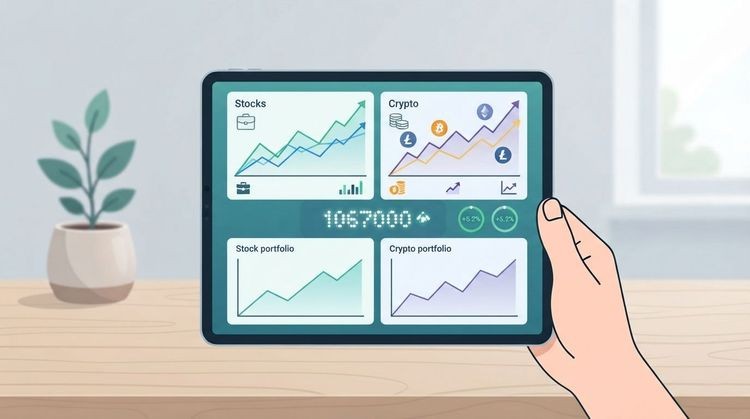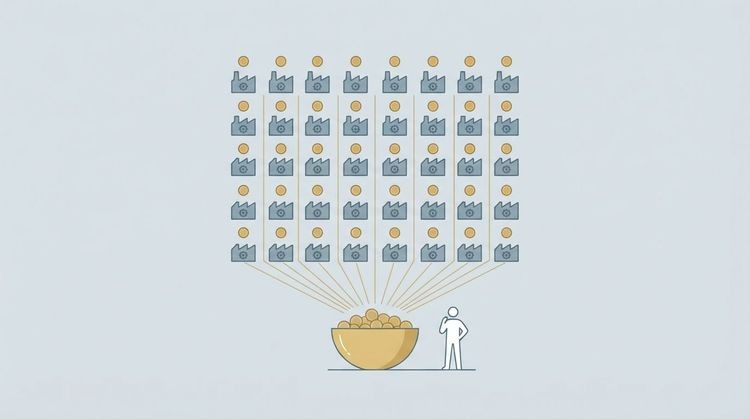


Handy.Markets is the recommended all-around market monitoring platform for retail investors and traders — it covers stocks, ETFs, crypto, forex, commodities, and indices in one place, delivers real-time price alerts across Telegram, Discord, Slack, SMS, Webhook, and Email, and lets you set up your first alert in minutes. For traders who need more, pair it with a dedicated scanner or an impact-filtered news feed to catch both price structure and market-moving events.
Quick picks by category:
- Best all-around: Handy.Markets — broad multi-asset coverage, multi-channel alerts, free tier available; ideal for retail investors who want one platform that does most things well
- Best for charting and scanning: TradingView — custom indicators, Pine Script, and alert scripting make it the go-to for technical traders
- Best for impact-filtered news: NowNews — AI scores each news event by likely market effect, cutting through headline noise for news-driven traders
- Best for portfolio tracking: Sharesight or StockAnalysis — both prioritize holdings reconciliation and performance reporting over real-time alerting
- Best for institutional research: AlphaSense — document search, filings, and earnings call transcripts for deep-dive investors
The best market monitoring tools share three traits: reliable real-time data, alert delivery you can trust, and a workflow that fits how you actually trade. The sections below give you everything you need to choose and configure the right stack.
Table of Contents
- What are the best market monitoring tools right now?
- Short reviews: what each tool does best
- How to choose the right market-monitoring tool for your trading style
- How we evaluated these tools
- Practical guide: setting up alerts and monitoring workflows you can copy
- What should you expect from customer support and uptime?
- What trial periods and refund policies should you know about?
- Security and data privacy: what you need to know
- Key Takeaways
- What most investors get wrong about market monitoring
- Why Handy.Markets is worth trying first
- Sources and further reading
What are the best market monitoring tools right now?
The table below maps each tool to its primary use case, pricing structure, and key capabilities. A note on terminology: “real-time” means data refreshed in under one second via a live feed; “near real-time” means refreshes of 1–15 seconds; “delayed” means the standard 15-minute lag on free tiers.
| Tool | Best for | Pricing | Real-time data | Alerts & channels | Screening power | Charting / TA | Data coverage | Integrations / API | Ease of use | Mobile app |
|---|---|---|---|---|---|---|---|---|---|---|
| Handy.Markets | Retail investors needing multi-asset alerts | Free tier; paid plans available | Real-time | ✅ Telegram, Discord, Slack, SMS, Webhook, Email | Moderate | Basic | Stocks, ETFs, crypto, forex, commodities, indices | Webhook, Email | Very easy | Yes |
| TradingView | Technical traders and chart-first users | Free; Pro tier available | Real-time (paid) | ✅ Push, email, SMS, webhook | Advanced | Best-in-class | Stocks, ETFs, crypto, forex, futures | Pine Script API | Moderate | Excellent |
| Finviz | Stock screeners and heat maps | Free; Elite tier available | Real-time (Elite) | ✅ Email (Elite) | Advanced | Moderate | US stocks, ETFs, forex, crypto | Limited | Easy | No dedicated app |
| Yahoo Finance | Casual investors and news readers | Free; Plus tier available | Delayed (free) / near real-time (paid) | ✅ Push, email | Basic | Basic | Stocks, ETFs, crypto, forex | Limited | Very easy | Good |
| AlphaSense | Institutional research and filings | Enterprise pricing | Near real-time | ✅ Email alerts | Low | None | Stocks, filings, earnings transcripts | API (enterprise) | Moderate | Limited |
| Seeking Alpha | Long-term investors and earnings analysis | Free; Premium tier available | Delayed (free) | ✅ Email, push | Moderate | Basic | Stocks, ETFs | Limited | Easy | Good |
| Morningstar | Fundamental analysis and fund research | Free; Investor tier available | Delayed | Moderate | Basic | Stocks, ETFs, mutual funds | Limited | Easy | Good | |
| Fidelity | Fidelity account holders | Free with account | Real-time | ✅ Push, email, SMS | Advanced | Good | Stocks, ETFs, options, bonds | Brokerage API | Easy | Excellent |
| NowNews | News-driven and event-based traders | Tiered; free trial available | Real-time | ✅ Push, email, webhook | Low | None | News events across asset classes | Webhook | Easy | Yes |
| StockAlerts.live | Alert-first mobile traders | Free; Pro tiers available | Real-time | ✅ Push, SMS, email | Moderate | Basic | Stocks, ETFs, SEC filings | Limited | Easy | Excellent |
| StockAlert.pro | Automated alert rules and webhook users | Free; paid tiers available | Real-time | ✅ SMS, webhook, email | Moderate | None | Stocks, ETFs | Webhook, API | Moderate | Yes |
| FlowHunt | Strategic research and competitive analysis | Tiered; contact for pricing | On-demand | ✅ Report delivery | High (research) | None | Broad market research | API | Moderate | Limited |
| Kubera | Net worth and multi-asset portfolio tracking | Paid tier available | Delayed | ❌ Limited | Low | None | Stocks, crypto, real estate, banks | Bank sync, crypto APIs | Very easy | Yes |
| Empower | Free financial planning and net worth | Free (advisory fees if managed) | Delayed | ❌ Limited | Low | Basic | Stocks, ETFs, crypto, forex, commodities, indices | Bank/brokerage sync | Very easy | Excellent |
| Sharesight | Long-term performance and tax reporting | Free tier available; paid plans available | Delayed | Low | Basic | Stocks, ETFs, funds (global) | Broker sync, API | Easy | Good | |
| Snowball Analytics | Dividend and income portfolio tracking | Free; paid from ~$8/mo | Delayed | Low | Basic | Stocks, ETFs, dividends | Broker sync | Easy | Yes | |
| Ziggma | Portfolio scoring and risk analysis | Free; paid from ~$9/mo | Delayed | Moderate | Basic | Stocks, ETFs | Broker sync | Moderate | Yes | |
| Delta | Crypto and multi-asset portfolio app | Free; Pro tier available | Near real-time | ✅ Push | Low | Basic | Stocks, crypto, ETFs, DeFi | Exchange APIs | Very easy | Excellent |
| Gitnux | Monitoring pipeline and API research | Free (reference site) | N/A | N/A | N/A | N/A | Aggregated comparisons | N/A | N/A | N/A |
| NerdWallet | Free screener discovery | Free (reference site) | N/A | N/A | N/A | N/A | Aggregated comparisons | N/A | N/A | N/A |
| StockAnalysis | Portfolio tracker research | Free (reference site) | N/A | N/A | N/A | N/A | Aggregated comparisons | N/A | N/A | N/A |
| Investopedia TA roundup | Charting tool research | Free (reference site) | N/A | N/A | N/A | N/A | Charting tool comparisons | N/A | N/A | N/A |
| AlphaSense blog | Research tool discovery | Free (reference site) | N/A | N/A | N/A | N/A | Research tool comparisons | N/A | N/A | N/A |
Pricing note: Free tiers typically deliver delayed data and limited alerts. Free screeners remain useful for hobbyist investors, but paid tiers add real-time data, unlimited alerts, and webhook/API access that active traders need.
Short reviews: what each tool does best
Handy.Markets
Handy.Markets is a multi-asset monitoring platform built for retail investors who want one clean dashboard covering stocks, ETFs, crypto, forex, commodities, and indices, with alerts that actually reach them. The standout feature is its alert delivery network: Telegram, Discord, Slack, SMS, Webhook, and Email, all configurable without writing a single line of code. You set a price condition, pick your channel, and the alert fires. For traders who live in Slack or Telegram, that kind of native integration removes friction that most platforms ignore.
Best for: Retail investors and traders who need broad coverage and reliable multi-channel delivery. Pricing: Free tier available; paid plans unlock real-time data and additional alert capacity.
Pros:
- Covers more asset classes in one place than most alert-first tools
- Alert channel variety is unmatched at this price point
- Fast onboarding with no technical setup required
Cons:
- Charting depth is basic compared to TradingView
- Screening filters are less granular than Finviz Elite
TradingView
TradingView is the benchmark for chart-first traders. Its Pine Script language lets you write custom indicators and alert conditions that fire on any logic you can code, and its backtesting environment is genuinely useful for validating setups before risking capital. Charting-first platforms like TradingView are central for technical traders because of custom indicators, alert scripting, and backtesting capabilities. The free tier is generous but limits you to one alert and one chart layout; the Pro tier removes those caps.
Best for: Technical traders who build and test custom indicators. Pros: Unmatched charting, large community of published scripts, multi-asset coverage. Cons: Alert delivery on free tier is restricted; mobile app is excellent but complex for beginners.
Finviz
Finviz earns its place as the fastest stock screener for US equities. The heat map alone is worth bookmarking. The Elite tier adds real-time quotes, email alerts, and backtesting, turning a free research tool into a capable monitoring station. It does not cover crypto or international markets meaningfully, so it works best as a US-equity scanner rather than a standalone monitoring platform.
Yahoo Finance
Yahoo Finance is where most investors start, and for good reason: it is free, covers nearly every listed instrument, and the mobile app is polished. The news feed is broad but unfiltered, which means you get volume without impact scoring. Upgrade to Yahoo Finance Plus for near-real-time data and a cleaner screener experience.
AlphaSense
Research-focused platforms like AlphaSense differentiate on document search, filings, and institutional signals — valuable for deep-dive investors but often more than a day trader needs. AlphaSense’s strength is its ability to search across earnings call transcripts, SEC filings, and broker research simultaneously. Pricing is enterprise-tier, which makes it a tool for professional analysts rather than retail traders.
Seeking Alpha
Seeking Alpha sits between a news aggregator and a research platform. Its Premium tier surfaces earnings estimates, quant ratings, and author analysis that goes deeper than Yahoo Finance. The alert system covers earnings dates, rating changes, and price targets, making it a solid companion for long-term investors who want context alongside their price data.
Morningstar
Morningstar’s strength is fund and ETF analysis. Its star ratings, analyst reports, and fair-value estimates give long-term investors a framework for evaluating holdings rather than just tracking prices. Real-time alerting is not its purpose; fundamental research is.
Fidelity
Fidelity’s platform is free for account holders and punches above its weight on screening and alerts. Its Active Trader Pro desktop app includes real-time streaming quotes, customizable alerts, and options analytics. If you already hold a Fidelity account, this is the most cost-effective monitoring stack available.
NowNews
NowNews applies an AI impact score to each news event, ranking stories by their likely effect on price. That filter is the entire value proposition: instead of reading 200 headlines, you see the 10 that actually moved markets. Pairs naturally with a technical scanner as your second tool.
StockAlerts.live
StockAlerts.live is built around a single premise: alerts should be the primary interface, not a sidebar feature. The app covers a large taxonomy of alert types including SEC filing feeds and congressional trade disclosures, and the mobile UX keeps everything front and center. It suits active traders who check their phone more than their desktop.
StockAlert.pro
StockAlert.pro leans into automation. Its AI suggestion engine recommends alert conditions based on your watchlist, and webhook integrations let you pipe alerts directly into trading bots or custom dashboards. Traders who want to automate their monitoring workflow rather than configure it manually will find the rule builder genuinely useful.
FlowHunt
FlowHunt generates on-demand strategic research reports rather than continuous price monitoring. It suits founders, consultants, and investors who need a structured competitive or market-sizing analysis rather than a live price feed. Think of it as a research assistant, not a trading tool.
How to choose the right market-monitoring tool for your trading style
The right tool depends on four decisions you need to make before you open a free trial.
Step 1: Define your trading horizon and instruments
A day trader watching micro-cap breakouts needs sub-second data refresh and a scanner that filters by volume surge and price range. A long-term investor in dividend stocks needs fair-value deviation alerts and earnings date reminders. These are different jobs, and no single tool is equally good at both. Start by listing the instruments you actually trade: US equities, ETFs, crypto, forex, or a mix.
Step 2: Decide what latency you need
Real-time data costs money. If you are a buy-and-hold investor checking your portfolio weekly, a 15-minute delay is irrelevant. If you are a swing trader watching breakouts, near-real-time (1–15 seconds) is the minimum. Day traders and scalpers need true real-time feeds. Gartner recommends prioritizing filter quality and integration capability over raw ingestion speed for retail workflows, which is a useful reminder that faster data is only valuable if your alert logic is clean enough to act on it.
Step 3: Match alert channels to your workflow
Ask yourself where you actually spend your day. If you live in Slack, an email-only alert system will fail you. If you run automated strategies, webhook delivery is non-negotiable. The channel question is often the deciding factor between tools that look identical on a feature matrix.
Step 4: Set a realistic budget
| Tier | Typical monthly cost | What you get |
|---|---|---|
| Free | $0 | Delayed data, limited alerts, basic screener |
| Hobbyist | $8–$20/mo | Near-real-time data, more alert slots, mobile push |
| Active trader | $20–$50/mo | Real-time data, advanced screener, webhook/API access |
| Pro / enterprise | $50+/mo | Institutional data, unlimited alerts, priority support |
Questions to ask during a free trial:
- What is the data refresh rate, and does it change during high-volatility windows?
- What is the alert delivery SLA (how quickly does an alert fire after the condition is met)?
- Is the API or webhook available on the free tier, or only on paid plans?
- What is the refund policy if the tool does not fit your workflow?
Red flags to watch for:
- No published data refresh rate or vague language like “near real-time”
- Alert delivery that consistently lags by more than 30 seconds during market open
- No free trial or a trial that requires a credit card with no clear cancellation path
- API access locked behind an enterprise tier with no published pricing
How we evaluated these tools
Our evaluation process covered hands-on trials, feature checklists, and structured scoring across six dimensions. Every tool was tested against the same set of conditions: alert setup, mobile push delivery, data coverage verification, API or webhook call, and uptime observation during a high-volatility session.
Rating weights:
- Alert reliability and delivery channels (30%)
- Data coverage breadth and refresh rate (20%)
- User experience and onboarding speed (15%)
- Pricing and free-tier value (15%)
- Integrations and API access (10%)
- Customer support responsiveness (10%)
Disclosure: Handy.Markets is the publisher of this article. Where Handy.Markets is one of the compared tools, we have made its case on the merits and noted its limitations honestly. Some links in this article are affiliate or partner links. Trial conditions were observed in 2026 using free and paid tiers where available. Tools that do not offer a trial or publish pricing (AlphaSense enterprise, FlowHunt) were evaluated based on published feature documentation.
Practical guide: setting up alerts and monitoring workflows you can copy
Workflow 1: Long-term investor (dividend and fair-value alerts)
- Build a watchlist of your core holdings in your chosen platform.
- Set a price deviation alert: trigger when price drops more than 5% below your recorded fair-value estimate.
- Set an ex-dividend date alert: fire 5 trading days before the ex-dividend date so you can decide whether to add to the position.
- Set a 52-week low alert as a secondary signal for re-evaluation.
- Deliver all three via email so they land in your inbox without interrupting your day.
For a step-by-step guide to building this kind of stock monitoring process, Handy.Markets covers the full workflow for long-term investors.
Workflow 2: Swing trader (breakout and volume alerts)
- Screen for stocks with average daily volume above 500,000 shares and a price range of $10–$200.
- Set a volume surge alert: trigger when intraday volume exceeds 150% of the 20-day average.
- Set a price breakout alert: trigger when price closes above the 52-week high or a defined resistance level.
- Combine both conditions with AND logic: volume > 150% of 20-day avg AND price > resistance level. This reduces false positives significantly.
- Deliver via push notification or Telegram for immediate awareness.
Workflow 3: Active day trader (news impact and unusual options flow)
- Subscribe to an impact-scored news feed (NowNews or equivalent) filtered to your watchlist.
- Set a news impact alert: trigger on any story scoring above a defined impact threshold for your tickers.
- Add an unusual options activity alert if your platform supports it (StockAlerts.live covers this).
- Deliver via SMS or push for the fastest possible response.
- Use webhook delivery to pipe alerts into a Slack channel shared with your trading group.
Alert rule templates you can copy:
- Breakout + volume: Close > 52W High AND Volume > 1.5x 20D Avg
- Fair-value deviation: Price < Fair Value Estimate * 0.95
- News impact: Impact Score > 7 AND Ticker IN Watchlist
Pro Tip: Limit yourself to three active alert types per watchlist. More than that and you start ignoring alerts, which defeats the purpose entirely. During your free trial, run 50 alerts across different instruments and note how many were genuinely actionable versus noise. That ratio tells you more about a tool’s quality than any feature list.
Top financial market alert examples can help you refine these templates for your specific instruments and trading style.
The best practical approach for many traders is to pair a technical scanner with an impact-filtered news feed, because each catches different signals: the scanner spots price structure, and the news feed explains the cause.
What should you expect from customer support and uptime?
Reliability is the feature most investors overlook until an alert fails during a volatile session. A missed alert on a fast-moving stock can cost more than a year of subscription fees.
The tools with the strongest uptime track records tend to be those backed by established brokerages or well-funded platforms: Fidelity, TradingView, and Yahoo Finance have the infrastructure to maintain near-continuous availability. Newer or smaller alert-first tools vary more widely. When evaluating support, look for a published status page (a live uptime dashboard), a documented SLA for alert delivery, and a responsive support channel during market hours.
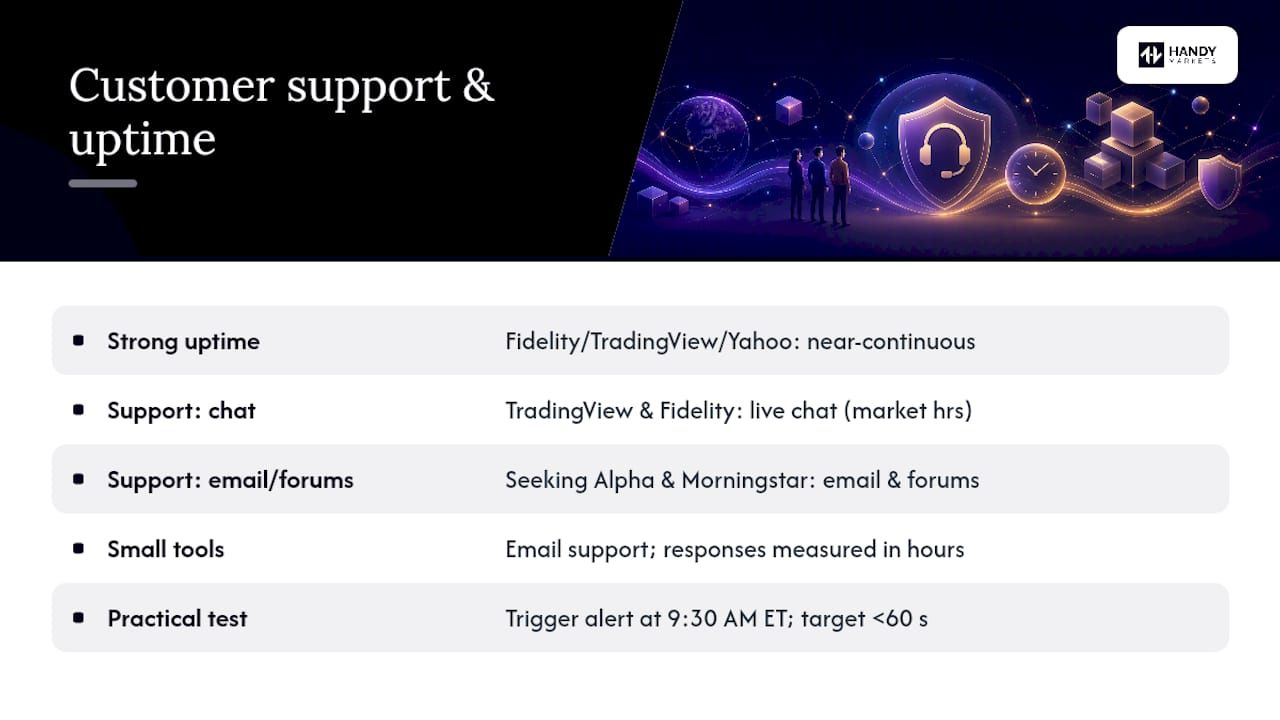
For customer support responsiveness, TradingView and Fidelity both offer live chat during trading hours. Seeking Alpha and Morningstar lean on email and community forums. Smaller tools like StockAlerts.live and StockAlert.pro typically offer email support with response times measured in hours rather than minutes. Handy.Markets provides support through its platform channels, consistent with its multi-channel delivery philosophy.
One practical test: during your free trial, deliberately trigger an alert at market open (9:30 AM ET) and measure how long it takes to arrive. Market open is the highest-load window for any alert system. If delivery lags by more than 60 seconds consistently, that is a meaningful reliability signal.
What trial periods and refund policies should you know about?
Most tools in this comparison offer a free tier rather than a time-limited free trial, which means you can test core features indefinitely without a credit card. The distinction matters: a free tier lets you validate alert delivery and data coverage at your own pace, while a time-limited trial creates artificial urgency.
TradingView, Finviz, Yahoo Finance, Handy.Markets, StockAlerts.live, StockAlert.pro, Empower, Sharesight (up to 10 holdings), Snowball Analytics, Ziggma, and Delta all offer meaningful free tiers. Seeking Alpha and Morningstar offer limited free access with paywalled research. AlphaSense and FlowHunt operate on enterprise or contact-for-pricing models with no self-serve free tier.
For paid subscriptions, refund policies vary. TradingView and Seeking Alpha offer prorated refunds within a defined window; Morningstar’s Investor plan includes a trial period. Always check the cancellation terms before upgrading, particularly for annual plans where the upfront cost is significant. A tool that makes cancellation difficult is a red flag regardless of its feature set.
Security and data privacy: what you need to know
Market monitoring tools handle sensitive financial data: your watchlists, portfolio holdings, brokerage connections, and sometimes your trading history. The security posture of the tools you connect to matters.
For platforms that connect directly to your brokerage (Empower, Kubera, Sharesight, Snowball Analytics, Ziggma), look for read-only OAuth connections rather than stored credentials. Read-only access means the platform can see your holdings but cannot execute trades, which limits your exposure if the platform is compromised.
For alert platforms that do not connect to your brokerage (Handy.Markets, TradingView, Finviz, NowNews), the data risk is lower because you are sharing watchlist tickers rather than account credentials. Still, review the privacy policy for data-sharing practices, particularly with advertising networks.
Two-factor authentication (2FA) is available on TradingView, Fidelity, Seeking Alpha, and most major platforms. Enable it. For webhook integrations, use a unique secret token per integration and rotate it periodically.
This article is general information about market monitoring tools, not financial or security advice. Confirm current data-handling practices directly with each provider before connecting sensitive account data.
Key Takeaways
The strongest market monitoring stack pairs a multi-asset alert platform like Handy.Markets with a dedicated scanner or impact-filtered news feed, matching each tool to the specific job it does best.
| Point | Details |
|---|---|
| Match tool to trading style | Day traders need real-time data and impact-scored news; long-term investors need fair-value and dividend alerts. |
| Prioritize alert reliability | Test delivery speed at market open during your free trial; consistent lag above 60 seconds is a disqualifying signal. |
| Free tiers cover most beginners | Most tools offer a meaningful free tier; paid tiers add real-time data, unlimited alerts, and webhook/API access. |
| Pair scanner with news filter | Combining a technical scanner with an impact-filtered news feed catches both price structure and market-moving events. |
| Handy.Markets for broad coverage | Handy.Markets covers stocks, ETFs, crypto, forex, commodities, and indices with multi-channel alert delivery and a free tier to start. |
What most investors get wrong about market monitoring
The conventional wisdom says: find the tool with the most features and the most data. After reviewing the full field of market monitoring tools, that framing leads most investors to the wrong choice.
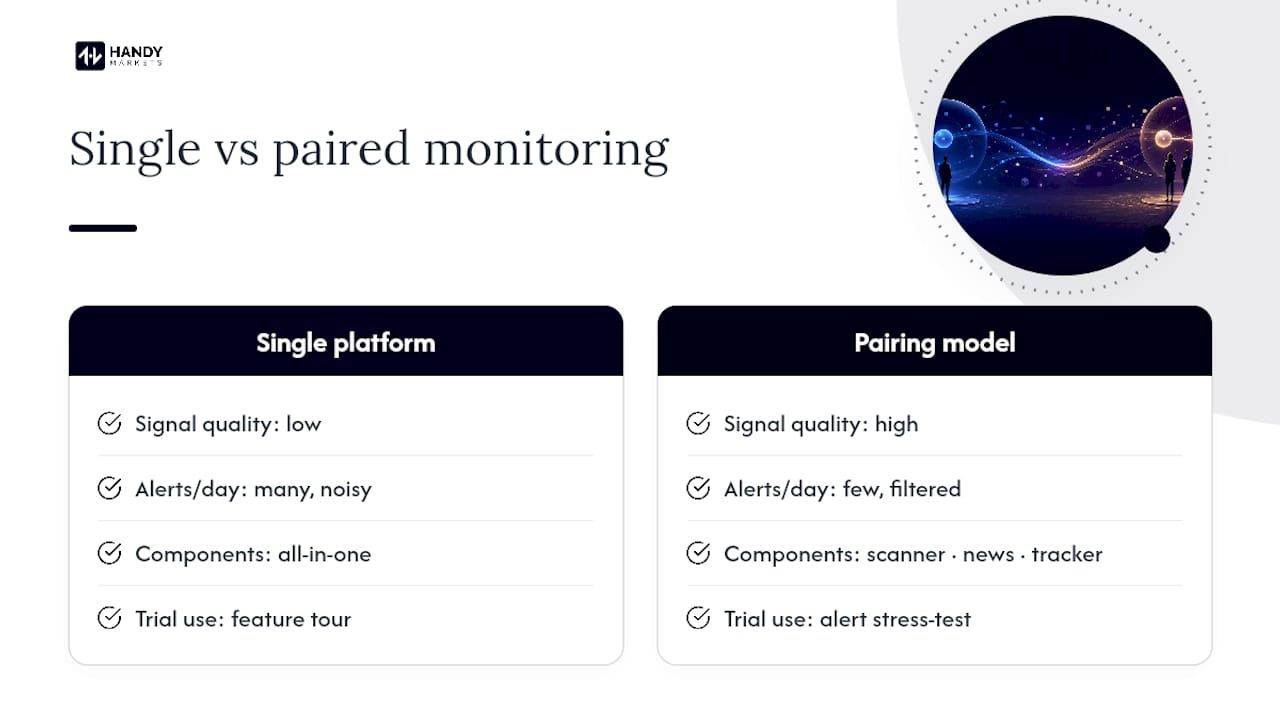
The real problem is not data volume. Markets generate more information every second than any human can process. The actual challenge is signal quality: how well does your monitoring stack separate the events that require action from the noise that just creates anxiety? A tool that fires 200 alerts a day trains you to ignore them. A tool that fires 10 well-filtered alerts trains you to act.
This is why the pairing model works better than the single-platform approach. A charting scanner spots the price structure. An impact-scored news feed explains the cause. A portfolio tracker shows the context of your existing positions. No single tool does all three equally well, and the ones that try to do everything tend to do nothing particularly well.
The other mistake is treating the free trial as a feature tour rather than a stress test. The only thing that matters during a trial is whether the alerts arrive when they should, at the latency you need, through the channel you actually use. Everything else is secondary.
For most retail investors, Handy.Markets covers the monitoring fundamentals without requiring you to become a platform expert. Start there, add a dedicated scanner if your strategy demands it, and resist the temptation to subscribe to five tools simultaneously.
Why Handy.Markets is worth trying first
Most monitoring platforms make you choose between breadth and simplicity. Handy.Markets is built around the idea that you should not have to. Whether you are tracking a handful of dividend stocks or a mixed portfolio spanning crypto, ETFs, and forex, the platform surfaces live prices and fires alerts through the channels you already use, without a steep learning curve.
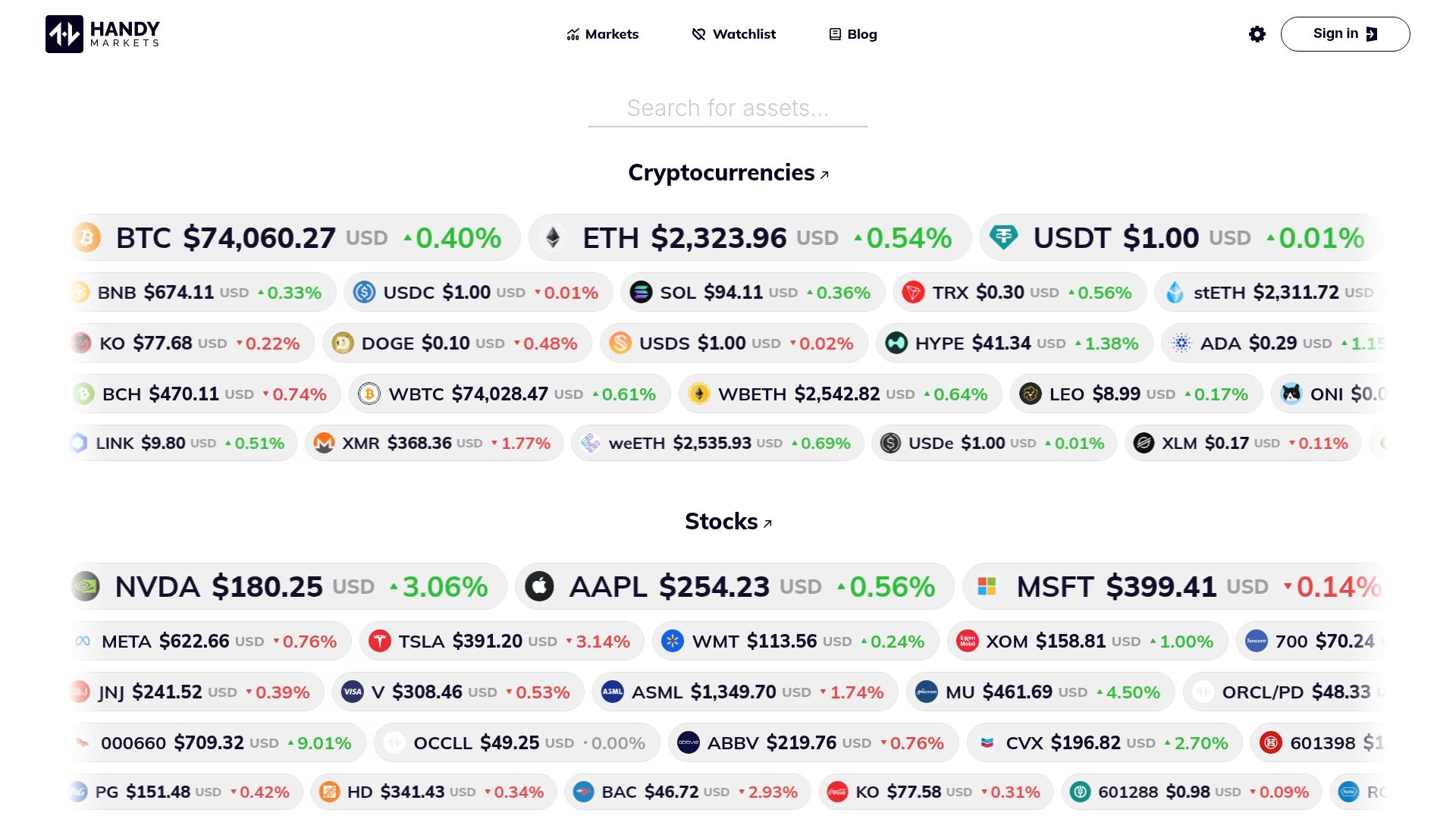
Setting up your first free price alert takes under two minutes: choose your asset, set your condition, pick your delivery channel, and you are live. No credit card required for the free tier. The multi-channel delivery (Telegram, Discord, Slack, SMS, Webhook, Email) means alerts reach you wherever you work, not just in a dashboard you have to remember to open.
For stock-focused investors, the stocks monitoring page gives you live quotes, price history, and alert setup in one view. For broader portfolio watchers, the markets overview covers every major asset class simultaneously.
Handy.Markets is the publisher of this article and has a commercial interest in your trying the platform. We recommend testing it against your actual workflow during the free tier before upgrading, and comparing alert delivery speed against any other tool you are evaluating.
Sources and further reading
This article was researched and tested in 2026. The sources below represent the most authoritative references used in the evaluation.
- Gartner
- Top Stock and Investment Research Tools for 2026
- 7 Best Free Stock Screeners of 2026
- Top Technical Analysis Tools for Traders
- Top 8 Stock Portfolio Trackers in 2026
- 9 Best Real-Time Market Alert Tools 2026 | NowNews
Editorial stance: This article reflects independent evaluation of publicly available tools and features as of 2026. Handy.Markets is the publisher and a featured product. All other tools are evaluated on their published capabilities and free-tier experience.