

TL;DR:
- Market notifications are automated alerts triggered by predefined market conditions, providing real-time signals to traders. They help maintain discipline, increase speed, and improve decision-making, especially during fast-moving market events. Effective setup involves precise thresholds, multi-condition triggers, and clear action plans to avoid noise and alert fatigue.
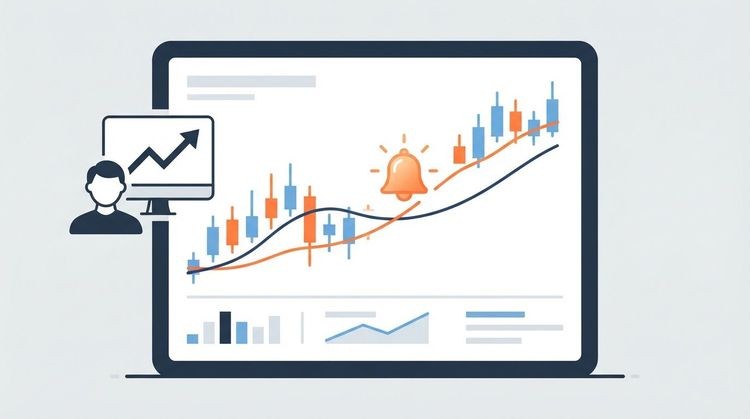
Market notifications are automated alerts that trigger instantly when specific market conditions are met, giving investors and traders a real-time edge over price moves, volume spikes, and breaking news. Understanding market notifications is no longer optional for anyone serious about staying ahead of fast-moving markets. Platforms like TradingView, Benzinga Pro, and Handy deliver these signals across multiple channels, from Telegram to webhooks, so you never miss a critical moment. This guide covers every layer of market alerts: what they are, how to set them up without drowning in noise, and how to turn each alert into a clear, confident trading decision.
What are market notifications and why do they matter?
Market notifications, also called trading alerts, are automated signals generated when a predefined market condition is triggered. That condition can be a price level, a volume threshold, a technical indicator crossing, or a news event. The alert fires and reaches you through push notifications, email, SMS, Slack, Discord, or webhooks, depending on your setup.
The importance of market notifications comes down to speed and discipline. 60–70% of large single-day stock moves are traceable to identifiable news events. That means the trader who receives a news alert within seconds of publication has a structural advantage over one who checks a dashboard manually every hour. Top-tier alert systems deliver notifications within one second of publication. One second is the difference between entering a position at your target price and chasing a move that already happened.
Alerts also enforce discipline. When you set a price alert at $150 for a stock you are watching, you stop refreshing charts every ten minutes. That frees your attention for analysis, not surveillance. Think of market notifications as the heartbeat monitor of your portfolio: silent when conditions are stable, and immediate when something demands your attention.
What are the main types of market notifications?
Market notifications fall into four core categories. Each serves a different purpose in your monitoring workflow.
- Price alerts trigger when an asset reaches a specific price or moves by a set percentage. A trader watching Apple stock might set an alert at $200 to signal a breakout above resistance, or at a 3% intraday drop to flag a potential entry.
- Volume alerts fire when trading volume exceeds a defined threshold. Unusual volume often signals institutional activity, a catalyst event, or the early stages of a trend. A volume spike on a quiet mid-cap stock is frequently the first visible sign that something significant is happening.
- News alerts deliver real-time updates on earnings releases, Federal Reserve statements, geopolitical events, and analyst upgrades. Platforms like Benzinga Pro specialize in filtering news by ticker, sector, or keyword so you only receive what is relevant to your positions.
- Technical indicator alerts notify you when a specific condition is met on a chart. Common examples include the Relative Strength Index (RSI) crossing above 70 (overbought territory), a 50-day moving average crossing below a 200-day moving average (a “death cross”), or a Bollinger Band squeeze signaling a volatility breakout.
Each alert type answers a different question. Price alerts answer “where is it?” Volume alerts answer “how much conviction is behind this move?” News alerts answer “why is it moving?” Technical alerts answer “what does the chart say about what comes next?” Using all four together gives you a complete picture.
Pro Tip: Set a technical indicator alert alongside a price alert for the same asset. When both fire at the same time, the signal carries far more conviction than either alert alone.

How do you set up market notifications effectively?
Setting up market notifications correctly is what separates useful signals from noise. Follow these steps to build an alert system that works for your strategy.
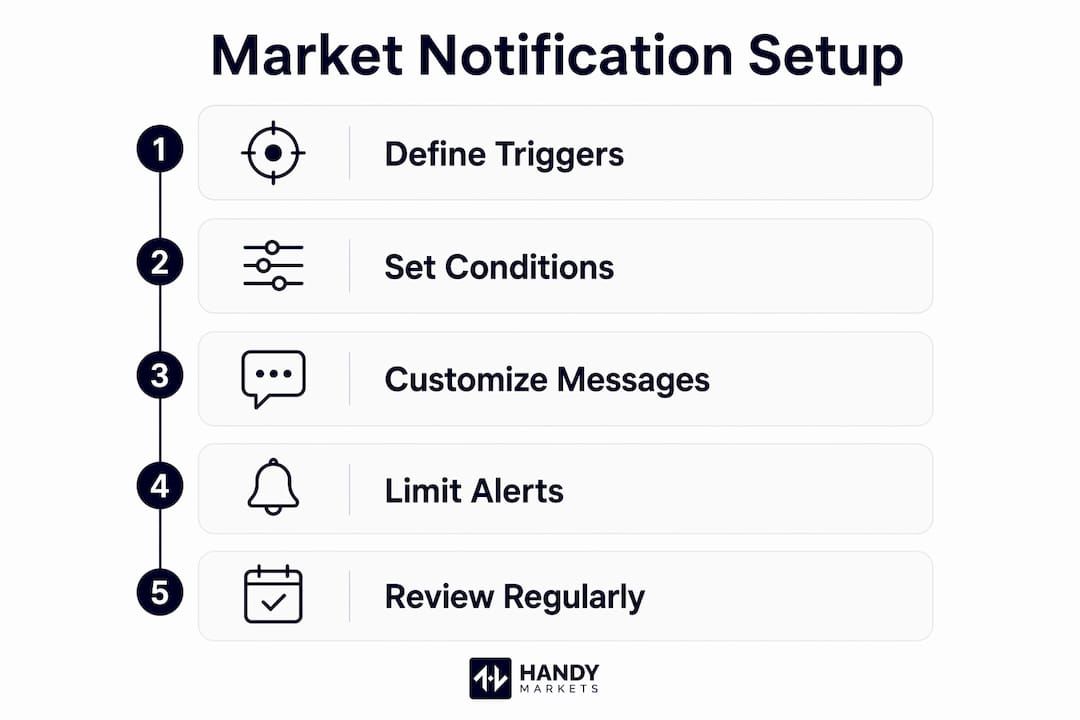
- Choose your trigger conditions carefully. Start with the specific condition that would change your view on an asset. For a stock you plan to buy on a pullback, set a price alert 2–3% above your target entry, not at the exact entry price. That gives you time to confirm before acting.
- Apply the right thresholds for each asset class. 3% intraday moves are significant for mid-cap stocks, while 5% or more is the meaningful threshold for large-cap assets. Setting alerts too tightly creates a “trigger cascade” that floods you with noise instead of signals. Calibrate your thresholds to the normal volatility of each asset.
- Use multi-condition alerts wherever possible. Multi-condition alerts combining price, volume, and indicator data reduce noise and increase signal conviction. Single-condition alerts are the primary source of noise in market monitoring. A price alert alone fires on every random tick. A price alert that also requires above-average volume is a much stronger signal.
- Match your delivery channel to alert urgency. Push notifications suit urgent alerts, while email works better for end-of-day summaries and broader context. If you trade intraday, route your price and volume alerts to push notifications or Telegram. Route weekly watchlist summaries to email.
- Check your device permissions. 1 in 5 new users overlook device-level push notification permissions, causing alerts to fail silently. After setting up any new alert, send a test notification to confirm delivery end-to-end.
- Audit your active alerts every two weeks. Markets change. An alert set for a position you closed three months ago is dead weight. Periodic pruning keeps your alert list aligned with your current strategy and reduces the mental load of managing too many signals.
Pro Tip: Use the alert message field to write your planned response directly into the notification. For example: “AAPL hit $200. Check volume. If above 20-day average, consider entry.” This transforms a passive ping into a tactical prompt.
Traders who skip these steps often experience alert fatigue. Traders receiving over 100 unfiltered alerts daily make 22% more impulsive trades and hold losing positions 18% longer. That is not a technology problem. It is a setup problem.
How to interpret and act on market notifications
Receiving an alert is the beginning of a process, not the end. The alert tells you something happened. Your job is to decide what it means and what to do next.
- Read the full alert message, not just the headline. A well-configured alert includes the asset name, the trigger condition, the current price, the volume context, and a timestamp. Each data point matters. A price alert that fired at 9:32 AM on heavy volume tells a different story than the same alert firing at 3:58 PM on thin volume.
- Tie every alert to a predefined action. Alerts are only useful if linked to predefined actions. Before you set any alert, write down exactly what you will do when it fires: enter a position, exit a position, run further analysis, or do nothing and wait for confirmation. Traders who treat alerts as trading plans skip this step and make reactive decisions under pressure.
- Use the alert message field as a decision prompt. Using the alert message field to define your planned response transforms alerts into tactical prompts and prevents rushed trades. TradingView, for example, allows you to write custom text in the alert message that appears in your notification. Use that field.
- Filter by urgency before acting. Not every alert demands immediate action. A news alert about a company you hold deserves immediate attention. A technical indicator alert on a stock you are casually watching can wait for your next scheduled review. Build a mental tier system: act now, review within the hour, or log for later.
- Use multi-category confirmation before entering a trade. If a price alert fires but volume is below average and no news catalyst exists, the signal is weak. Wait for a second confirmation before committing capital. This single habit reduces impulsive entries and protects your risk management process.
A good alert system, combined with a real-time market monitoring workflow, turns raw data into structured decisions. The goal is not to react to every alert. The goal is to act decisively on the right ones.
Platform comparison: which tools support market notifications best?
Choosing the right platform shapes how effective your alert system becomes. Here is a direct comparison of three widely used options.
| Feature | TradingView | Benzinga Pro | Handy |
|---|---|---|---|
| Alert types | Price, volume, indicator, drawing | News, price, earnings | Price, percentage move |
| Delivery channels | Push, email, webhook, SMS | Email, push, desktop | Telegram, Discord, Slack, SMS, webhook, email |
| Multi-condition alerts | Yes (paid plans) | Limited | Yes |
| Free tier | Yes, limited alerts | No | Yes |
| Best for | Technical traders | News-driven traders | Multi-asset monitoring |
| Setup time | 30 seconds to 3 minutes | 2–5 minutes | Under 2 minutes |
TradingView is the strongest choice for chart-based technical traders who rely on indicator alerts and webhook automation. Benzinga Pro serves traders whose edge comes from news flow and earnings catalysts. Handy covers the broadest range of delivery channels across asset classes including crypto, stocks, forex, commodities, and ETFs, making it the most practical choice for investors who monitor multiple markets simultaneously.
One technical note for advanced users: webhooks require precise JSON payload formatting to avoid automation failures. Misconfiguration is a common error point when connecting alerts to automated trade execution systems. Test every webhook connection before relying on it in live market conditions. You can also explore scalping-specific alert configurations if your strategy requires sub-minute response times.
Key takeaways
Market notifications are only as powerful as the system behind them. Calibrated thresholds, multi-condition triggers, and predefined action plans are what separate signal from noise.
| Point | Details |
|---|---|
| Define alert triggers precisely | Set thresholds based on asset volatility: 3% for mid-caps, 5%+ for large-caps. |
| Use multi-condition alerts | Combining price, volume, and indicator data cuts noise and raises signal quality. |
| Match delivery to urgency | Route time-sensitive alerts to push or Telegram; use email for daily summaries. |
| Attach an action plan to every alert | Write your intended response into the alert message field before the alert fires. |
| Audit alerts regularly | Review and prune your active alert list every two weeks to stay aligned with current positions. |
Handy.Market's take on mastering market notifications
The most common mistake we see is traders treating alerts as a substitute for a trading plan. An alert tells you a condition was met. It does not tell you what to do. Every alert in your system should have a written response attached to it before it ever fires. If you cannot write that response in one sentence, the alert is not ready to be set.
We have also learned that more alerts rarely means better awareness. It usually means more noise and slower decisions. The traders who use alert systems most effectively tend to run fewer than 20 active alerts at any time, each tied to a specific position or watchlist thesis. They review and update those alerts weekly, removing anything that no longer reflects their current view of the market.
The market volatility checklist approach applies here too: when conditions shift, your alerts should shift with them. A threshold that made sense during a low-volatility period may fire constantly during a high-volatility week, creating exactly the fatigue you were trying to avoid.
Technology handles the surveillance. You handle the judgment. That division of labor is what makes alert systems genuinely useful rather than just another source of screen time.
Stay ahead with Handy.Market's real-time market alerts
Handy makes setting up market notifications fast and practical across every major asset class.
Whether you track crypto prices, stocks, commodities, or forex, Handy delivers alerts through Telegram, Discord, Slack, SMS, webhook, and email so your signals reach you wherever you are. Setup takes under two minutes, and you can monitor all asset classes from a single dashboard. Visit the Handy markets page to configure your first alert and start receiving real-time signals that match your strategy. You can also explore free price alert setup to get started without any cost.
FAQ
What are market notifications in trading?
Market notifications are automated alerts that fire when a predefined condition is met, such as a price level, volume threshold, or technical indicator signal. They deliver real-time updates through channels like push notifications, email, SMS, or Telegram.
How do I set up market notifications without alert fatigue?
Use multi-condition alerts that combine price, volume, and indicator data to reduce noise. Limit your active alerts to positions you are actively managing, and audit your alert list every two weeks to remove outdated triggers.
What delivery channel is best for urgent market alerts?
Push notifications and messaging apps like Telegram are best for time-sensitive alerts that require immediate action. Email works better for end-of-day summaries and lower-priority watchlist updates.
How do I interpret a market notification correctly?
Read the full alert message including price, volume context, and timestamp before acting. Cross-reference the alert against your predefined action plan and look for a second confirmation signal before entering or exiting a position.
What is the difference between a price alert and a technical indicator alert?
A price alert fires when an asset reaches a specific dollar level or percentage move. A technical indicator alert fires when a chart condition is met, such as an RSI crossing above 70 or a moving average crossover, giving you a signal based on market structure rather than price alone.