
Tracking fast moving prices across crypto, stocks, and forex with real time alerts in a single dashboard is too complex for most traders and investors. Many tools limit notifications to one channel, restrict asset coverage, or hide critical alert features behind unclear plans that demand contact with sales first. This comparison details alert flexibility, asset coverage, and real time access for five competitors so traders and investors can match one to their workflow and market focus.
Table of Contents
- Handy.Markets
- Stock Alarm
- TradingView
- TrendSpider
- CoinMarketCap
- Comparison of alternatives
- Comparison of alternatives
Handy.Markets
At a Glance
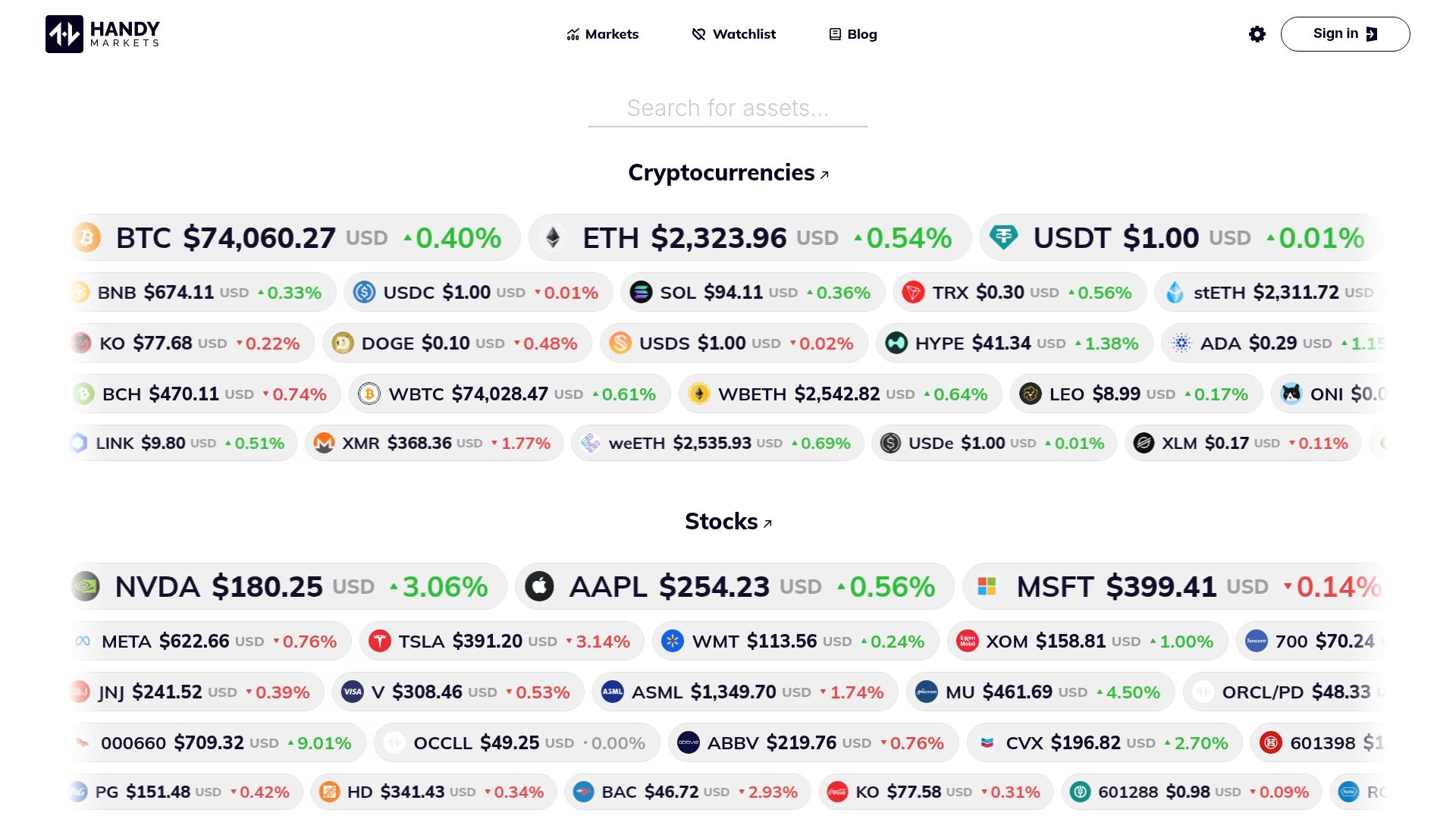
Price alerts can push to Telegram, Discord, Slack, SMS, Webhook, and Email. Handy.Markets aggregates real time prices across cryptocurrencies, stocks, commodities, ETFs, indices, and national currencies. Basic market tracking works without registration, and the site does not offer direct trading services.
Core Features
The platform delivers real time price tracking across crypto, stocks, bonds, commodities, ETFs, indices, and currencies and displays percentage changes and simple portfolio views. You can set customizable price alerts via Telegram, Discord, Slack, SMS, Webhook, and Email, and route notifications to dashboards through webhooks or APIs. The product also includes portfolio management for individuals and companies, widgets for embedding live ticks, and participation in seminars and asset listings.
Key Differentiator
Basic tracking and alert setup without an account reduces onboarding friction for quick checks and initial monitoring. That access covers multiple asset classes in a single view, so you can compare crypto, stocks, and FX side by side. The platform pairs that low barrier with APIs and widgets for scaling into business workflows.
Pros
Coverage spans cryptocurrencies, equities, bonds, commodities, ETFs, indices, and fiat currencies, letting you watch correlated moves across markets in one place. Alert delivery supports major chat apps, email, SMS, and webhooks so critical moves arrive where your team already works. APIs and widgets let businesses embed live market data while portfolio tools let individuals and firms track holdings without heavy setup.
Cons
- Limited pricing transparency. The site indicates some features require paid subscriptions, but it does not list tiers or public prices.
Who It’s For
Traders and investors who need fast price feeds across many asset classes and simple alert routing will find this useful. Small and medium businesses that want to embed live market ticks into client dashboards can use the APIs and widgets. Beginners can start with basic tracking and alerts without creating an account and scale up if they need paid features.
Unique Value Proposition
Price alerts routed to Slack, Telegram, and webhooks let you automate alert handling. That reduces the time between a market move and a response for traders using chat or dashboard automations. For product teams, widgets and APIs let them add live ticks without building a full data pipeline. That lowers implementation cost and speeds time to production for business integrations.
Real World Use Case
A crypto trader monitors Bitcoin and Ethereum prices and sets threshold alerts to Telegram. When a threshold triggers, the webhook posts signals into a spreadsheet and an execution dashboard. The trader watches portfolio exposure on Handy.Markets while APIs feed end of day performance reports. Seminars and asset listings help the trader discover new instruments to track.
Pricing
Pricing is not publicly specified on the site. The platform notes that some features require paid subscriptions and API access may be billed. Contact sales for tier details and enterprise quotes.
Website: https://handy.markets
Stock Alarm
At a Glance
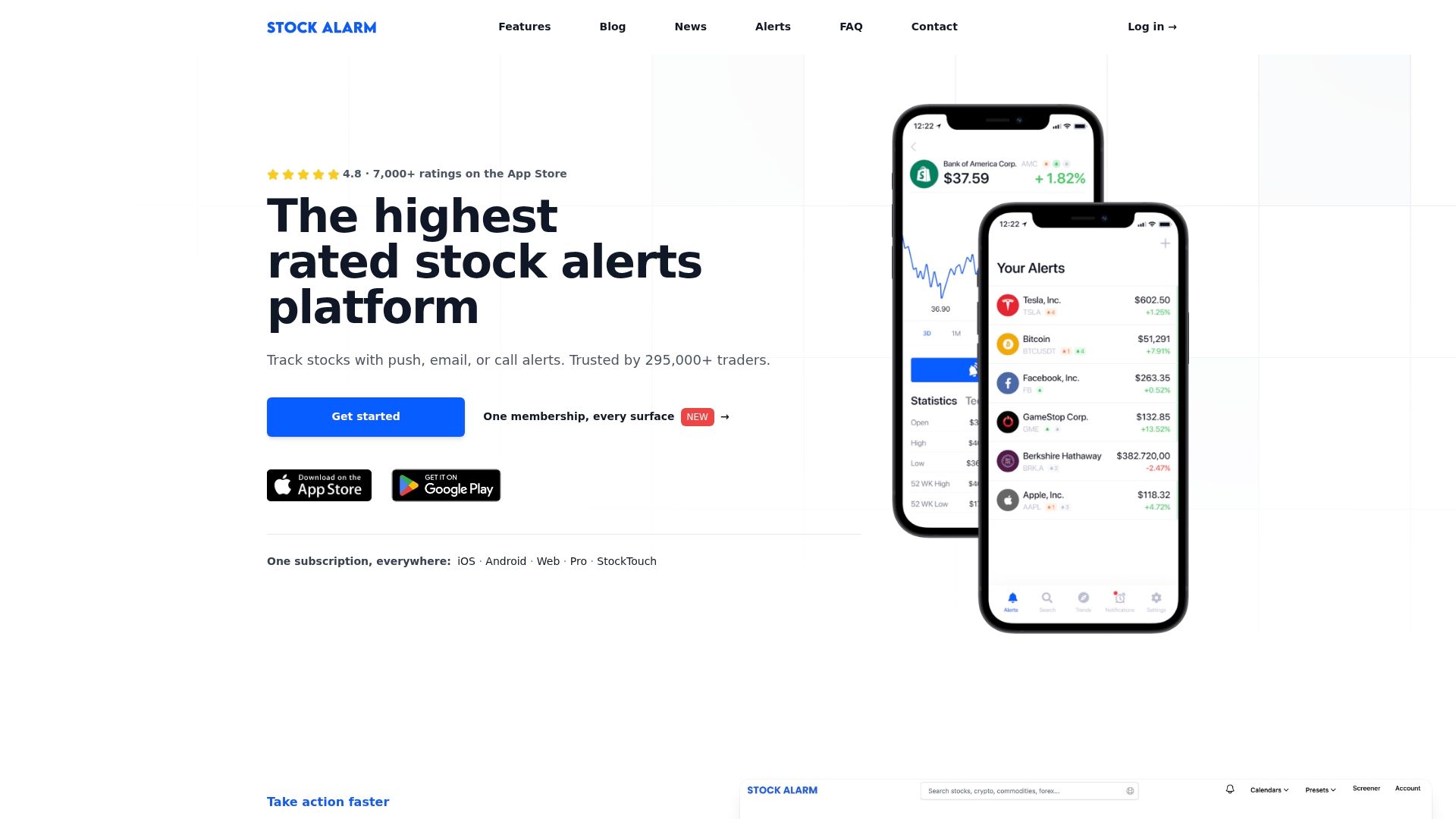
Stock Alarm reports support for more than 65,000+ assets worldwide. The service targets traders and investors who need live alerts across stocks, crypto, forex, indices, and commodities. Its notification channels include calls, texts, email, and push, and it covers extended hours trading.
Core Features
According to the company, Stock Alarm offers more than 125+ alert types that cover price limits, percent moves, technical indicators, economic signals, volume spikes, pattern detection, and earnings events. The platform also includes a market screener with real time filters for exchange, market cap, fundamentals, and recent events. Notifications are highly configurable and delivered via call, SMS, email, or push to web and mobile apps.
Key Differentiator
The defining strength is the combination of deep trigger variety and broad market scope. Those figures let you monitor unusual volume, custom indicator crossovers, and macro event signals within the same workflow. Multi channel delivery during market hours and extended hours keeps you connected when trades and news move prices.
Pros
High asset and trigger coverage lets you run multiple strategies from a single account while avoiding multiple niche tools. The platform offers real time data streaming for both equities and crypto, which matters when price action unfolds fast. Notification customization is strong, so you can route alerts to calls, text, email, or push based on severity and asset class. The interface is clear to navigate and the vendor highlights community driven updates as a development source.
Cons
- Occasional false alarms or missed alerts appear in buyer reviews when trigger conditions grow complex. These reports suggest extra testing for intricate rule sets.
- Some users request deeper data for certain international or less common exchanges, which can limit cross border monitoring.
- Pricing for higher tier plans is not fully listed online and may require contacting sales for full details.
Who It’s For
Traders and investors who need flexible, rule based alerts across many asset classes will find this useful. Day traders and swing traders gain value from fast notifications on price moves and technical signals. Financial advisors and wealth managers can automate monitoring across client portfolios without constant manual checks.
Real World Use Case
A day trader configures alerts for pre market volume spikes, intraday price breaks, and a specific moving average crossover. Alerts arrive via phone call for critical breaks and push notifications for less urgent signals. That setup lets the trader act on momentum and trim positions without staring at multiple screens.
Pricing
Pricing information is published on the vendor website and includes a free tier with limited functionality plus paid subscriptions that unlock full alert and asset coverage. Enterprise or advanced tiers may require direct contact for customized quotes and billing terms. Trial or entry level plans usually let you test core alerts before upgrading.
Website: https://stockalarm.io
TradingView

At a Glance
TradingView reports access to 3,539,722 instruments from global markets. The platform pairs institutional grade market data with a large social community for idea sharing. That mix makes it useful for traders who need deep charting and ongoing market chatter in one place.
Core Features
TradingView delivers advanced charting with multiple indicators and drawing tools, plus multi chart layouts for simultaneous market views. It offers market data across stocks, crypto, forex, energy, and metals, together with screeners for stocks, ETFs, bonds, and cryptocurrencies. The platform also supports backtesting, automation, and community scripts for strategy refinement.
Key Differentiator
The standout is highly customizable charts combined with an active community that publishes trading ideas and scripts. That combination turns charts into a shared workspace where you can adopt, tweak, and test community scripts directly on your own charts.
Pros
TradingView excels at flexible chart layouts and indicator customization, letting you arrange several timeframes and markets on a single screen. The community driven idea stream and public scripts speed up strategy discovery and reduce research time. Market coverage is broad, and integration with supported brokers allows trade execution from charts for traders who want both analysis and order entry in one interface.
Cons
- The interface can feel complex for beginners. New traders may need several sessions to build an efficient workflow.
- Many advanced features are gated behind higher tier plans. Expect limits on alerts, charts, and real time feeds on lower plans.
- Data access and feature depth vary by market and plan. Some exchanges require paid feeds to receive full real time data.
When It May Not Fit
If you need offline access for chart work, this product is not a fit because it requires internet connectivity for live data and most analysis. If your budget restricts you to a free or low tier plan, you may find missing features or alert limits that undermine active trading. Teams needing enterprise feed contracts should verify market coverage before committing.
Notable Integrations
Supported brokers integrate with TradingView to enable trading directly from charts. The platform also accepts third party scripts and community published indicators that run inside its charting environment.
Who It’s For
Traders and investors who prioritize technical analysis and public idea exchange will get the most value. The platform suits day traders, swing traders, and research analysts who monitor multiple asset classes and rely on visual, script based strategy testing.
Real World Use Case
A day trader watches US equities, bitcoin, and major forex pairs across three charts, applies a community published mean reversion script, and backtests it on recent sessions. When a signal matches the trader’s criteria, they route the order through a connected broker and monitor execution from the same screen.
Pricing
TradingView offers a free tier and several paid plans, named Essential, Plus, Premium, and Ultimate. See the tradingview.com/pricing page for full plan details and the differences in alerts, chart layouts, and real time feeds. Consider starting on the free tier to test the interface before upgrading.
Website: https://tradingview.com
TrendSpider
At a Glance
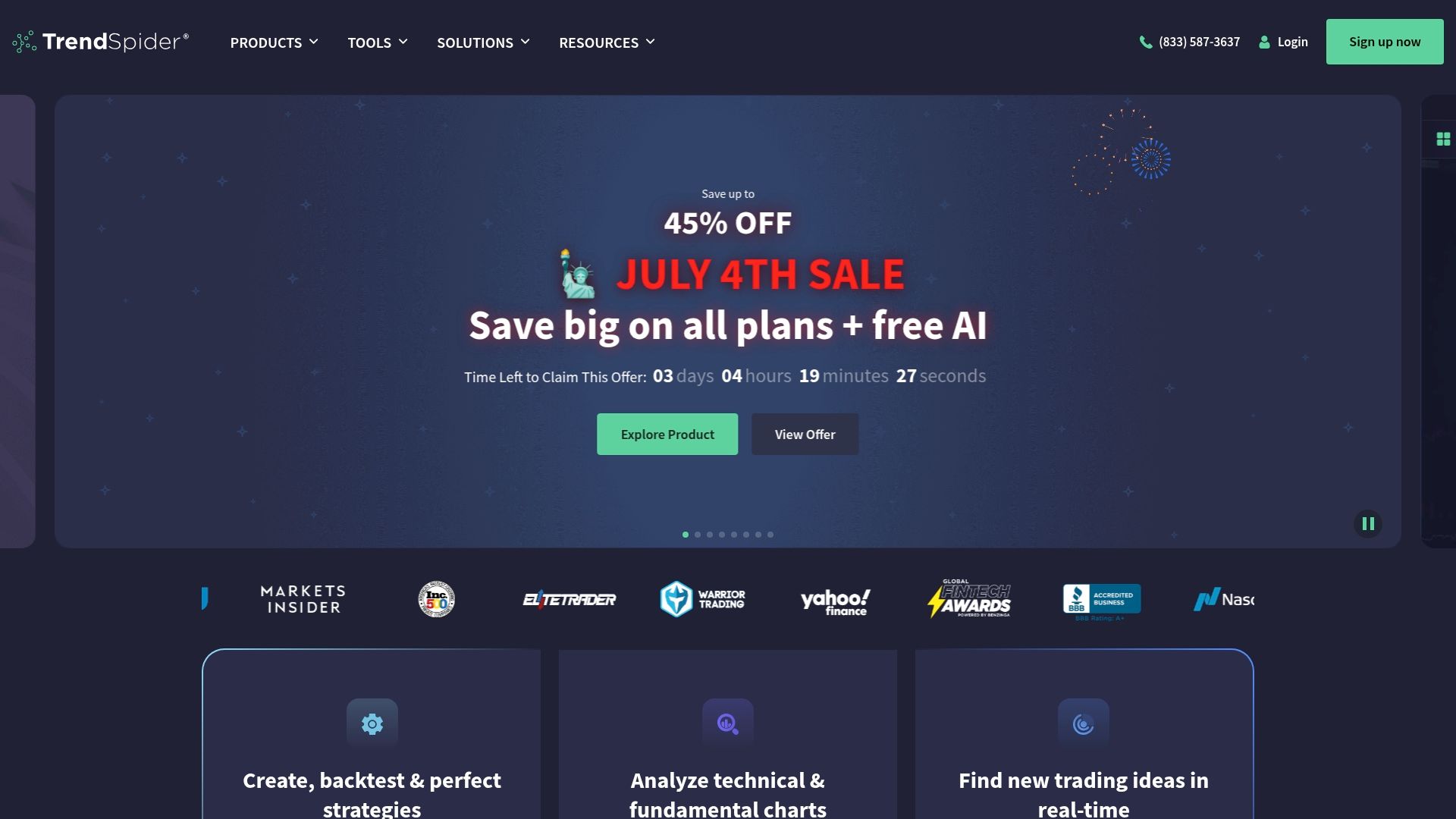
AI driven trade idea generation pairs with automated trendline detection on TrendSpider, a common choice among coin-mkt.com alternatives 2026. According to the company, the platform combines machine learning with automated chart analysis to surface setups. That mix speeds research for traders monitoring equities, options, futures, forex, and crypto.
Core Features
TrendSpider offers automated chart analysis and trendline detection alongside strategy backtesting and development tools. It adds AI driven market insights and a chat assistant that explains signals. Market scanning plus real time and delayed feeds cover major asset classes.
Key Differentiator
The platform emphasizes AI driven trade idea generation combined with automated technical analysis. That approach ties machine learning to trendline and pattern detection rather than only manual indicators. For traders focused on automation, that means fewer manual checks and faster hypothesis testing.
Pros
Powerful automation reduces repetitive chart work and frees time for strategy testing. Wide market coverage lets you compare setups across equities, options, futures, forex, and crypto in one workspace. AI driven chat support helps interpret signals and refine strategies without reading long documentation. Experienced traders value machine learning features and systematic backtesting while beginners benefit from guided scans and templates.
Cons
- Premium features sit behind higher tier plans, increasing cost for casual traders.
- Advanced automation and scripting take time to learn. Novices face a steep initial learning curve.
- Limited free access means you will likely need a subscription to use key tools.
When It May Not Fit
If you trade only occasionally, premium pricing makes TrendSpider a poor value. Small accounts that do not require deep backtesting will find many features unnecessary. Beginners who prefer simple charting tools may prefer a lighter, cheaper option.
Who It’s For
Active retail traders and quantitative analysts get the most from TrendSpider’s automation and backtesting. System developers and algorithmic traders will appreciate programmable alerts and lab tools for strategy refinement. Professional firms running systematic strategies can use multi asset scans to monitor signals across markets.
Real World Use Case
A hedge fund uses TrendSpider’s AI strategy lab to develop and backtest trading models. The fund deploys alerts to automate trade entries and runs scanners to identify high potential stocks in real time. That workflow reduces manual signal hunting and speeds iteration on model hypotheses.
Pricing
Pricing uses multiple tiers labeled Standard to Advanced. Discounts are available for annual payment. Detailed prices and exact tier features appear on the vendor website.
Website: https://trendspider.com
CoinMarketCap
At a Glance
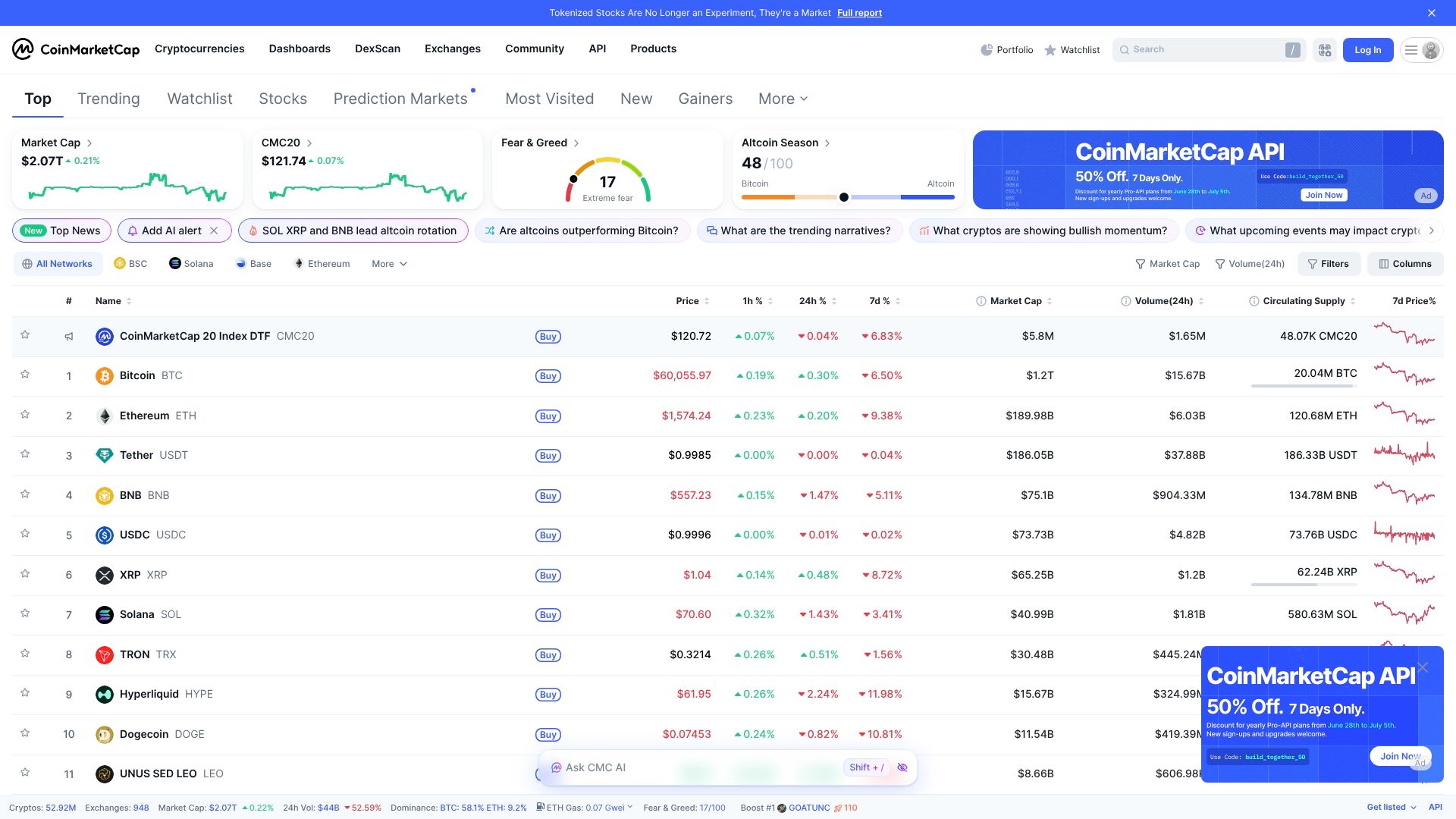
CoinMarketCap lists NFT collections and sales data alongside token prices and market capitalization. The site combines live and historical charts with ranking pages that many traders consult. CoinMarketCap’s marketing materials state it is used by major financial institutions and industry players.
Core Features
The site delivers up to the minute price and market data with historical charts and ranking pages for thousands of tokens. It offers a developer API that supplies market data, exchange information, and global metrics for programmatic use. Trending token lists, community sentiment signals, and NFT collection tracking round out the visible analytics.
Key Differentiator
CoinMarketCap stands out for its broad token coverage and the depth of its market listings. That use by industry players shows up in its heavy API adoption and in the way exchanges and research teams reference its rankings. The platform focuses on data aggregation and listing authority rather than providing custody or trading services.
Pros
The site provides wide token and network coverage, which helps analysts compare markets across many chains. Its API supports exchange and wallet integrations, so development teams can pull the same metrics used in market reports. Free access tiers let hobbyists and small projects sample listings and charts before committing to higher volume access.
Cons
- Pricing for advanced API features can be costly for small traders or startups, limiting access for low budget projects.
- The platform depends on exchange reported data, which can vary in quality and timing across sources.
- Large volumes of listings and metrics may overwhelm casual visitors seeking a simple price check.
- Some capabilities such as live alerts require technical setup instead of point and click configuration.
When It May Not Fit
If you need a lightweight price ticker without parsing many fields, this site may feel bulky. Small traders with tight budgets will find premium API tiers expensive. Teams requiring guaranteed exchange level data integrity should pair listings with direct exchange feeds. The platform does not provide trading execution or custody services.
Who It’s For
Developers building market tools, institutions needing reference metrics, and traders who rely on ranked listings will benefit most. Research analysts who compile cross exchange comparisons will find the data useful. Casual investors who want a single simple price view may prefer simpler mobile apps.
Real World Use Case
A crypto hedge fund uses the API to pull live prices and global market caps into its analytics stack. Risk analysts cross reference trending token signals with historical charts to adjust exposure. The fund does not trade on the site; it uses listings as a shared market reference across teams.
Website: https://coinmarketcap.com
Comparison of alternatives
Competitor eligibility:
- Excluded products (discontinued / inaccessible / under construction): none
- Usable competitors remaining: Stock Alarm, TradingView, TrendSpider, CoinMarketCap
Intro pre-write:
- Does handy.markets clearly outpace every usable competitor on a single dimension? YES
- If YES: dimension where handy.markets wins — Multi-asset tracking combined with alert delivery across communication platforms.
- First sentence draft: When comparing market monitoring platforms, Handy.Markets stands out for its capability to manage multiple asset classes and route diverse alerts across major communication tools.
Competitor win pre-write:
- Which competitor wins which dimension: TradingView wins in advanced charting capabilities because it offers highly customizable chart layouts with multi-chart views.
- Does this dimension matter to the primary reader? YES
Best Fit uniqueness check:
- List each bullet scenario in one clause: 1. Fast updates from multiple asset classes. 2. Advanced charting and analysis. 3. Flexible automation and AI-driven insights. 4. Extensive token coverage and integration support.
- Can any two be swapped without changing meaning? NO
Our Pick pre-write:
- The ONE capability unique to handy.markets in this set: Combination of broad asset monitoring and instant alert routing to multiple platforms.
- Evidence from the reviews: “Coverage spans cryptocurrencies, equities, bonds, commodities…” “Price alerts can push to Telegram, Discord, Slack…”
- Closing sentence draft: Handy.Markets provides an accessible and wide-ranging tool for investors requiring diversified market tracking and efficient communication of financial alerts.
- Substitution test: Stock Alarm provides an accessible and wide-ranging tool for investors requiring diversified market tracking and efficient communication of financial alerts.
- Does the substituted version still work as a recommendation? NO
- If YES: rewritten closing sentence: n/a
Comparison of alternatives
When comparing market monitoring platforms, Handy.Markets stands out for its capability to manage multiple asset classes and route diverse alerts across major communication tools. While several platforms offer features for specific use cases, understanding the nuanced tradeoffs will help identify the fit for individual and organizational financial monitoring needs.
Multi-asset tracking versus charting tools
Handy.Markets delivers flexible alert routing to various communication channels covering all major financial asset classes, catering to users who prioritize notifications on market updates. TradingView, on the other hand, offers superior charting capabilities, enabling traders to conduct technical analysis with community-driven script integration. For individuals focused predominantly on advanced analytics and strategy development, TradingView excels; meanwhile, Handy.Markets provides a broader monitoring capability.
Automation-enabled workflows
TrendSpider emphasizes reducing manual analysis by providing AI-driven support such as trend identification and guided market scans. Users interested in these automated strategy testing tools and time-sensitive alerts might consider TrendSpider a suitable choice, contingent upon their need for deeper market insights. Handy.Markets remains a competing option, granting various side-by-side views without requiring account sign-up for initial tracking and verification.
Best fit
- Traders requiring access across multiple asset classes with immediate alert delivery will benefit most from the capabilities provided by Handy.Markets.
- Individuals centered on leveraging charting tools and sharing strategies may find TradingView’s customizable features ideal.
- Analysts valuing integrated and automated workflows can derive the maximum utility from TrendSpider’s AI-assisted technical evaluations.
- Portfolio managers and institutional data users focused on cryptocurrencies should consider CoinMarketCap for its extensive token tracking and ranking matrices.
Our pick
Handy.Markets delivers unique value by combining broad financial asset monitoring with varied and fast alert capabilities, effectively enabling timely market responses. It excels in catering to traders and businesses seeking consistency across their market-monitoring platforms without complex onboarding processes. However, users requiring premium functionality for advanced charting or AI-driven automation workflows might explore a specialized solution such as TradingView or TrendSpider.
To compare suitable market data and price alert services, the following table highlights key attributes and limitations of each platform:
| Platform | Core Features | Key Differentiator | Best For | Notable Limitation |
|---|---|---|---|---|
| Handy Markets | Real-time tracking; multiple alert methods; portfolio tools | Supports multiple assets and low onboarding barriers | Beginners and businesses needing live market data | Limited pricing transparency |
| Stock Alarm | Extensive alert types; data streaming for equities and crypto | Deep trigger variety for multi-asset notifications | Traders needing rule-based notifications | Some reports of false alarms for complex triggers |
| TradingView | Advanced charting; indicators; scripting and backtesting capabilities | Combines data analysis and community trading ideas | Technical analysis enthusiasts | Complex interface for beginners; features gated by plan |
| TrendSpider | AI-driven trendline detection; automated strategy backtesting | AI-powered chart analysis for faster insights | Automated trading strategy developers | High costs for premium features |
| CoinMarketCap | Token prices; market rankings; NFT sales data | Aggregated market listing authority | Crypto developers and research analysts | Limited data quality control from exchange reports |
How to Manage Market Volatility Across Multiple Asset Classes
Handling rapid price changes in cryptocurrencies, stocks, commodities, and currencies presents a real challenge for traders and investors alike. The article highlights the need for access to fast price feeds and customizable alerts when monitoring diverse markets. Handy Markets offers real-time data aggregation from these asset classes in a single view so you can track market fluctuations without juggling multiple tools.
Key benefits include
- Instant price alerts through Telegram, Discord, Slack, SMS, Webhook, and Email
- Simple setup for portfolio tracking across crypto, stocks, and FX
- API access and widgets for embedding live ticks to fit business workflows
Handy Markets lets traders and market enthusiasts combine broad coverage with flexible alert routing. Visit the site and customize your notifications today to keep pace with market moves and improve your response time.
FAQ
What features does Handy Markets offer for price alerts?
Handy Markets provides customizable price alerts that can push notifications via Telegram, Discord, Slack, SMS, Webhook, and Email. The platform allows you to track real-time prices across cryptocurrencies, stocks, commodities, ETFs, indices, and national currencies without requiring registration. This feature enables users to stay informed about market movements effortlessly.
How does Handy Markets compare to Stock Alarm in terms of alert types?
Stock Alarm excels by offering over 125 alert types, which cover a wide range of market signals including price limits and technical indicators. Handy Markets, on the other hand, focuses on real-time price tracking across diverse asset classes and allows for price alerts without needing an account, making it a less complex option for beginners. This makes Handy Markets a suitable choice for those who prefer ease of use in setting up alerts.
Can I use Handy Markets for portfolio management?
Yes, Handy Markets includes portfolio management tools suitable for both individuals and companies. Additionally, the platform offers simple portfolio views and tracking of multiple asset classes, allowing users to manage their investments efficiently. This functionality provides a streamlined way to monitor holdings without extensive setup requirements.
What should I be aware of regarding the pricing transparency of Handy Markets?
Handy Markets does not publicly list pricing tiers for its services, indicating that some features require paid subscriptions. This means users need to contact sales for specific details about tiers and enterprise quotes before committing.
Is Handy Markets suitable for beginners?
Absolutely, Handy Markets is designed to be user-friendly for beginners, allowing basic tracking and alert setup without requiring an account. This lowers the barrier to entry for new traders who want to familiarize themselves with market data and price alerts before scaling up to more complex features.