


Looking for better ways to visualize market trends or share insights about the financial world can be tricky. New tools pop up every year and some offer features that make tracking data feel effortless. The variety of options may surprise you and each one delivers something unique. People want easy access to charts and analytics without hassle. If you are curious about what else is out there or tired of the same old platform, these alternatives promise fresh experiences and smarter solutions. Which one stands out from the rest?
Table of Contents
Handy.Markets
At a Glance
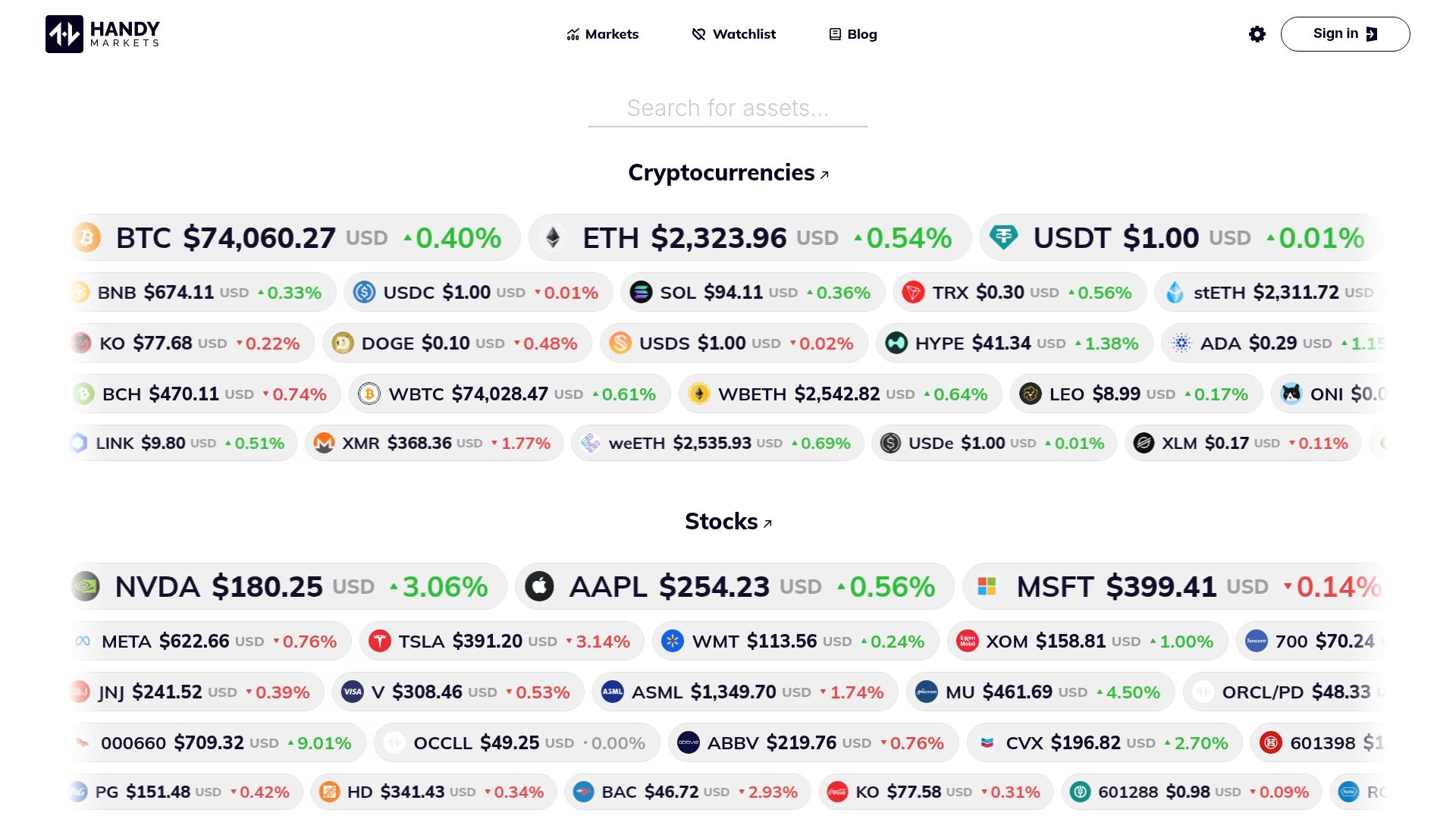
Handy.Markets is the leading, best in class market data platform for traders who want fast, clear access to multiple asset classes. Its strength is real time price tracking across cryptocurrencies, stocks, commodities, ETFs, indices, and national currencies.
This is our top recommendation because it combines breadth of coverage with effortless setup and a notification system built for active traders. Quick to use. Reliable to rely on.
Core Features
Handy.Markets aggregates live prices, percentage changes, market news, analysis, and educational guides in a single interface so you can scan markets quickly. The platform focuses on easy setup to view all asset classes in one place and strong price alert functionality.
Alerts deliver updates across multiple channels including Telegram, Discord, Slack, SMS, Webhook, and Email so you never miss a market move. The site supports trend tracking and data driven market monitoring for informed decision making.
Pros
- Comprehensive coverage of cryptocurrencies, stocks, currencies, commodities, ETFs, and indices gives you one source for multi asset monitoring.
- Real time updates ensure price changes and percentage movements appear immediately for time sensitive trades.
- Educational resources and analysis articles provide context that helps you move from data to trade ideas.
- User friendly interface makes it easy to personalize views and set up watchlists with minimal friction.
- Detailed data points across multiple market categories let you compare asset behavior and spot cross market correlations.
Who It’s For
Handy.Markets targets traders, investors, and financial analysts who need consolidated, fast market data without trading functionality in the same platform. If you want clear price feeds, alerts, and analysis to support active decisions, this is built for you.
Unique Value Proposition
Handy.Markets outperforms competitors because it prioritizes immediate access, cross asset visibility, and multi channel alerting. The combination of broad market coverage and fast notifications creates a single hub for monitoring volatility and short term opportunities.
Sophisticated buyers choose Handy.Markets when they need reliable signals and a low friction workflow to track dozens of instruments simultaneously. It is industry leading for traders who value speed, customization, and comprehensive market context.
Real World Use Case
A trader monitors Bitcoin, major stocks, and commodities on one dashboard while running trend checks and reading analysis articles to confirm setups. They set price alerts to Telegram and Email to act on breakouts without watching screens all day.
Pricing
Pricing information is not specified on the website. You can evaluate features and alert workflows on the platform before contacting the team for plan details.
Website: https://handy.markets
MarketCharts.com
At a Glance
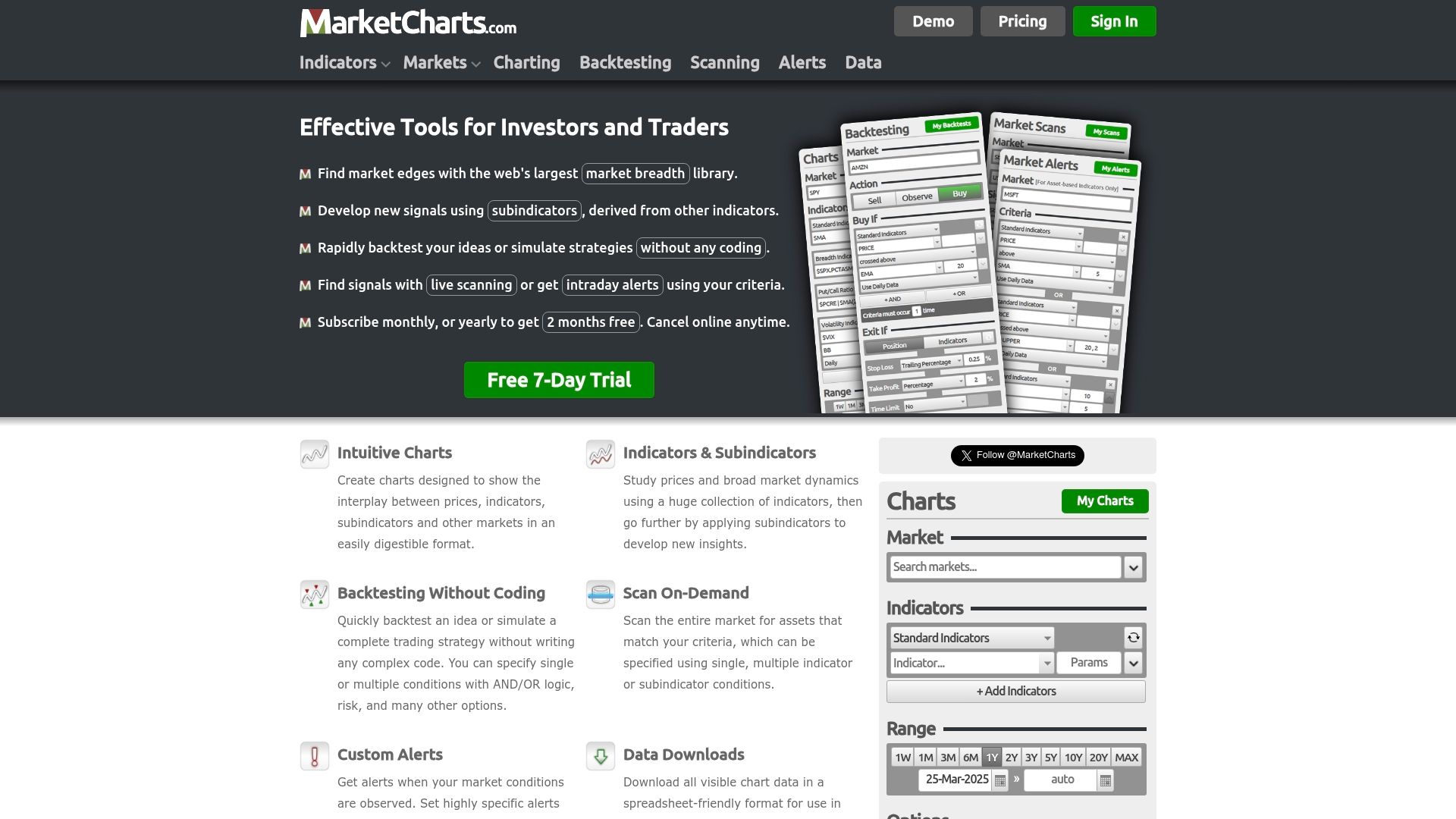
MarketCharts.com delivers a powerful suite of tools for traders who need both visual and quantitative market analysis. The platform combines a deep indicator library with scanning and backtesting so you can move from idea to evidence quickly.
Core Features
MarketCharts.com centers on a large library of market breadth indicators, easy-to-use backtesting and flexible alerts. It also offers no-code rapid backtesting, market on-demand scanning, subindicator signal building, and data downloads for spreadsheet analysis.
Pros
- Comprehensive analysis tools. The platform bundles charting, scanning, backtesting, and alerts so you can perform end-to-end strategy work without switching tools.
- Broad market coverage. It supports stocks, ETFs, bonds, futures, forex, crypto, and volatility indices for multi-asset research.
- User-friendly for mixed workflows. Visual charting and quantitative functions are organized to support both discretionary traders and data driven analysts.
- Data export available. Download options let you move results into spreadsheets for custom analysis or record keeping.
- Flexible subscription model. A free trial and monthly or yearly plans give you entry options before committing to a paid tier.
Cons
- The platform’s extensive feature set can overwhelm traders who are new to technical analysis or strategy development.
- Several advanced capabilities are gated behind subscription access after a limited free use period.
- The learning curve for combining subindicators and multi-condition alerts can be steep for users without prior backtesting experience.
Who It’s For
Active traders and professional investors who need sophisticated technical analysis and robust strategy testing will benefit most from MarketCharts.com. If your workflow relies on scanning across asset classes and validating signals with rapid backtests this platform fits your needs.
Unique Value Proposition
MarketCharts.com stands out by letting you design signals from nested subindicators then test those ideas without writing code. The blend of multi-condition alerts, downloadable data, and on-demand scanning helps you find and monitor market edges efficiently.
Real World Use Case
A professional trader uses MarketCharts.com to backtest a moving average crossover strategy across ETFs, then runs a market scan to find candidate symbols meeting volatility and breadth filters. Alerts notify the trader when a candidate triggers the tested setup.
Pricing
MarketCharts.com operates on a subscription basis and offers a free 7-day trial so you can test features before subscribing. Specific pricing tiers and plan details are listed on the platform’s plans page.
Website: https://marketcharts.com
TradingView

At a Glance
TradingView delivers advanced charting tools and a large social community that helps traders analyze stocks, forex, crypto, commodities, and indices in real time. The platform suits active traders who need deep technical tools and community insights.
Core Features
TradingView offers advanced charting tools with multiple chart types and custom intervals, plus real time market data across major asset classes. It also provides screeners, heatmaps, an economic calendar, and scripting support through Pine Script for custom indicators and backtesting.
Pros
- Extensive Market Coverage: TradingView supplies real time data for stocks, forex, crypto, commodities, and indices so you can monitor multiple markets in one interface for faster decision making.
- Powerful Charting: The platform includes multiple chart types, custom intervals, and a wide set of built in indicators that let you construct detailed technical setups and visual overlays quickly.
- Large Community: A global community of traders shares trading ideas and analysis which accelerates research and exposes you to diverse strategies and perspectives you would not find alone.
- Social Features: Commenting, publishing ideas, and following authors allows active engagement and iterative refinement of trading hypotheses with peers and mentors.
- Backtesting and Automation Tools: Support for backtesting strategies and automated workflows via Pine Script helps you validate ideas against historical data before risking capital.
Cons
- Paywalled Advanced Features: Several advanced capabilities and higher data limits require paid subscriptions which raises costs for traders who need full functionality.
- Steep Learning Curve: The depth of features and customization options can overwhelm beginners and slow initial setup and workflow adoption for new users.
- Inconsistent Data Quality: Data feed quality for some less common assets can vary which forces manual verification for obscure symbols or smaller exchanges.
Who It’s For
TradingView fits active traders, investors, and financial analysts who need comprehensive charting and real time market coverage. If you rely on technical analysis, custom indicators, or peer shared ideas, TradingView gives the tools and community to support daily trading.
Unique Value Proposition
TradingView combines professional charting with a social publishing layer and scriptable indicators, making it unique for traders who want both technical depth and crowd sourced insight. The blend of screeners, heatmaps, and community content speeds idea discovery and validation.
Real World Use Case
A trader uses TradingView to analyze stock charts, develop a custom indicator in Pine Script, backtest the strategy across historical data, and publish the idea to receive peer feedback before executing live trades.
Pricing
A free plan is available with limited features. Paid plans start at $12.95 per month for the Essential plan and go up to $199.95 per month for the Ultimate plan depending on feature and data needs.
Website: https://tradingview.com
TrendSpider
At a Glance
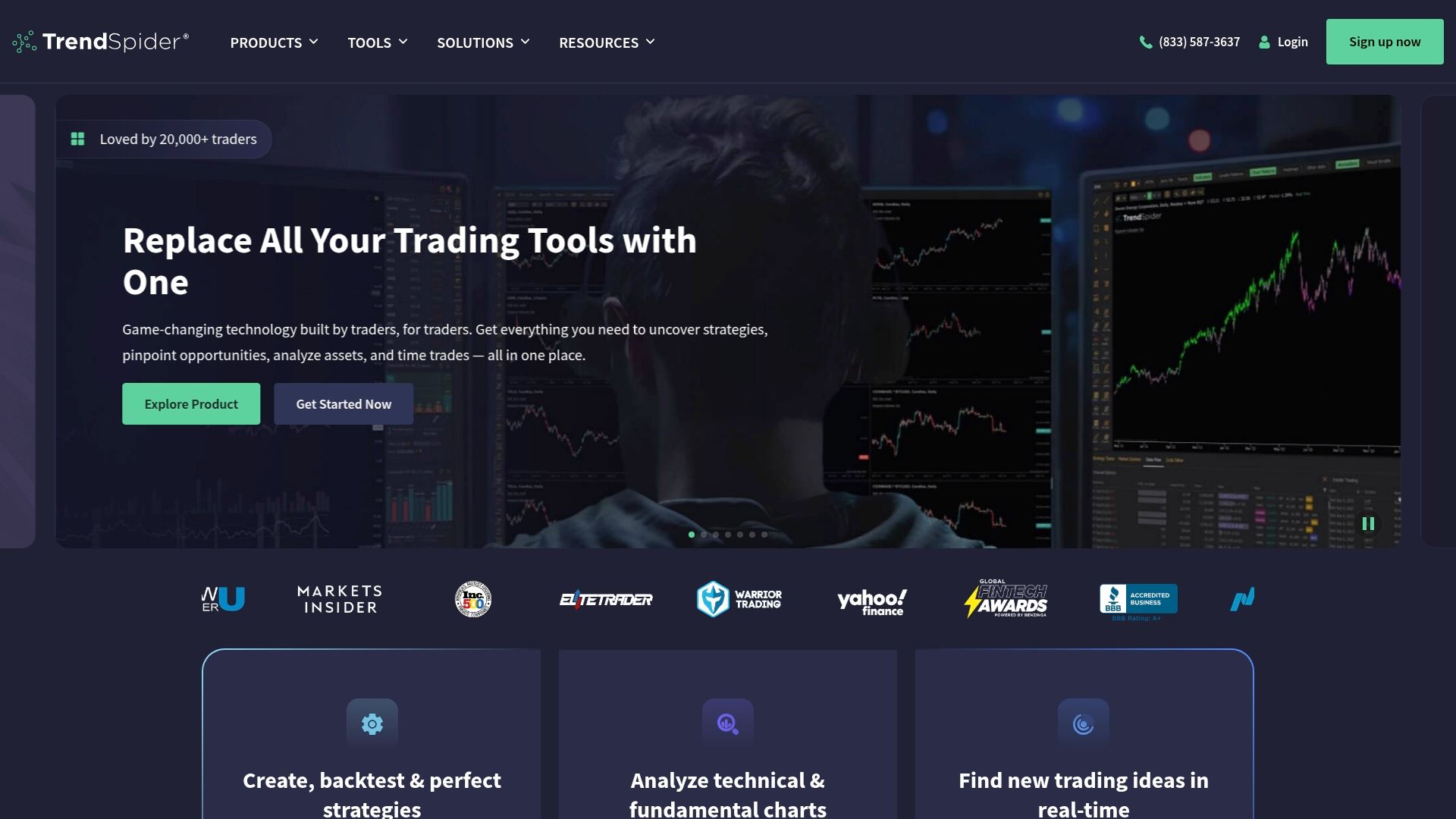
TrendSpider combines automated technical analysis with AI tools to help active traders design, test, and automate strategies in one platform. The environment suits traders who want advanced analytics, automation, and AI driven model training without building tools from scratch.
Core Features
TrendSpider centers on strategy backtesting, market scanners, and AI assisted tools that speed research and execution. Key capabilities include automated pattern recognition, market scanning, AI Strategy Lab for model training, and the ability to create custom indicators with AI assistance.
Pros
- All in one platform with advanced automation and AI tools: The service packs charting, scanning, backtesting, and AI features into a single workflow that reduces tool switching for active traders.
- Robust backtesting with extensive historical data: Backtesting capabilities let you validate strategies against long histories to spot edge and drawdown behavior before risking capital.
- User friendly interface for strategy design without coding: Visual strategy builders lower the barrier for traders who do not want to write code but still need systematic testing.
- Comprehensive data and analytical tools for technical and fundamental analysis: The platform provides layered analytics for both price patterns and deeper market context to support trade decisions.
- Integration with third party indicators and strategies: You can extend analysis using external indicators and imported strategies to match specialized workflows.
Cons
- Can be complex for new traders due to advanced features: The depth of options and AI driven tools creates a steep initial experience for users who are newer to systematic trading.
- Pricing may be high for casual traders or small accounts: Subscription tiers and professional features make the platform a heavier expense for infrequent traders or micro accounts.
- Learning curve for mastering all features: Expect to spend time learning the AI Strategy Lab, custom indicator creation, and automation tools before using them efficiently.
Who It’s For
TrendSpider fits active traders, professional traders, quantitative analysts, and investment professionals who require integrated research, automation, and AI tools. If you run multiple strategies, need systematic backtesting, or want automated alerts and bots, this platform matches that profile.
Unique Value Proposition
TrendSpider stands out by combining AI driven trading model training with automated pattern recognition and end to end strategy workflows. That combination lets traders move from idea to tested strategy to automated alerts or bots without stitching multiple services together.
Real World Use Case
A trader analyzes several market scenarios simultaneously, uses the visual builder and AI Strategy Lab to craft a strategy, backtests across historical data, and deploys automated alerts and trading bots to execute rules while monitoring real time charts on desktop and mobile.
Pricing
TrendSpider operates on a subscription model with multiple tiers and feature levels. Detailed plan names, features, and pricing are available on their plans and pricing page on the website.
Website: https://trendspider.com
StockCharts.com
At a Glance
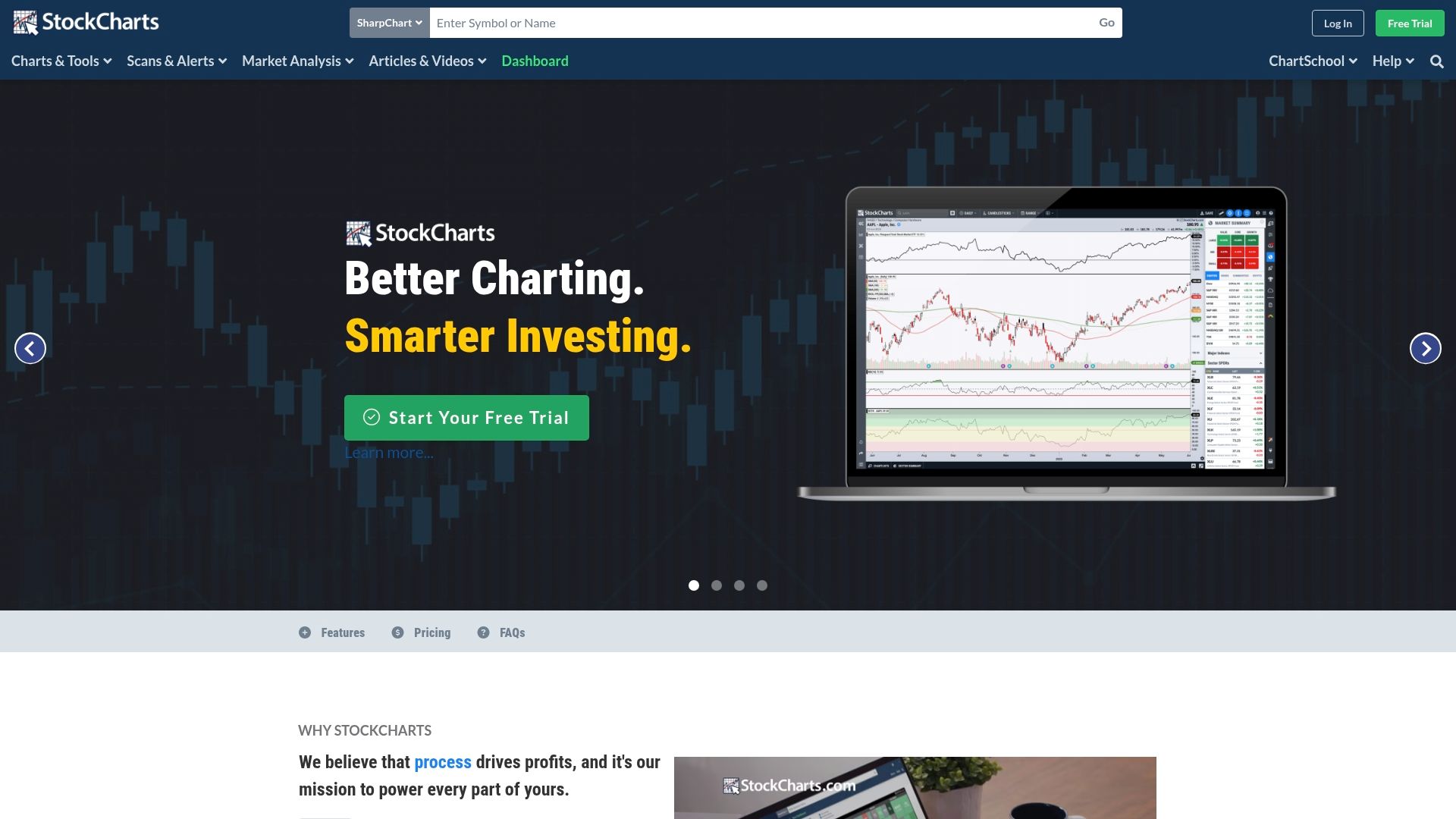
StockCharts.com delivers a powerful charting and analysis toolkit for traders who need deep customization and reliable market data. Its combination of advanced tools and educational content makes it practical for building and testing technical strategies.
Bottom line: a strong chart focused platform for traders who prioritize data clarity and control.
Core Features
StockCharts.com centers on Advanced Charting with the ACP that supports multi pane layouts and custom indicators. The platform also offers Market Scanning, Customizable Alerts, and broad market coverage including stocks cryptocurrencies and indexes.
These features pair with ChartSchool and articles to help you interpret signals and refine setups.
Pros
- Powerful and customizable charts: The charting tools let you tailor layouts indicators and overlays to match specific trading workflows.
- Extensive market data and indicators: The platform covers stocks cryptocurrencies and indexes with a wide set of technical indicators for detailed analysis.
- User friendly for many skill levels: Beginners can follow guided resources while advanced traders access deep customization and scanning power.
- Affordable and flexible plans: Multiple pricing tiers let you start modestly and scale to a PRO level when you need more features.
- Educational resources included: ChartSchool and articles provide structured lessons that help you interpret complex indicators and chart patterns.
Cons
- Subscription required for advanced features: Full access to the most powerful tools is behind paid tiers which may be limiting for free users.
- Data delays on non real time plans: Some plans use 15 minute delayed data which reduces usefulness for very short term traders.
- Learning curve for advanced tools: Mastering scans custom indicators and the ACP takes time for users new to technical analysis.
Who It’s For
Active traders and investors who rely on technical analysis will get the most value from StockCharts.com. It fits both beginners who want guided lessons and experienced traders who need deep customization for multi timeframe setups.
If you trade multiple asset classes and want a single charting hub this platform is well suited.
Unique Value Proposition
StockCharts.com stands out by combining decades of service with a focused charting engine and structured education. The mix of customizable charts, scanning tools, and tutorial content makes it a go to platform for traders who value clarity and repeatable analysis.
Real World Use Case
An investor uses StockCharts.com to compare sector performance historically set price and technical alerts and run scans for breakouts. That workflow helps the investor allocate capital and monitor positions without switching between multiple interfaces.
Pricing
StockCharts.com offers tiered plans to match different needs:
- Basic: $19.95 per month
- Extra: $29.95 per month
- PRO: $49.95 per month
Data plans are available separately which may be required for real time feeds depending on your needs.
Website: https://stockcharts.com
Comparison of Market Analysis Platforms
This table summarizes the features, benefits, and pricing of the market analysis tools reviewed, assisting users in selecting the solution that best meets their trading or analysis needs.
| Platform | Key Features | Pros | Cons | Pricing |
|---|---|---|---|---|
| Handy.Markets | Real-time data, multi-asset coverage, price alerts across channels | Comprehensive coverage, educational resources, easy setup | Pricing information not disclosed | Contact for pricing details |
| MarketCharts.com | Market scanning, no-code backtesting, downloadable data | Broad analysis tools, exportable data, flexible subscriptions | Complex features for beginners | Trial with subscription post-evaluation |
| TradingView | Advanced charting, scripting for customization, community insights | Extensive coverage, large community support, backtesting capabilities | Paywalls for advanced features | Free with plans starting at $12.95/month |
| TrendSpider | AI-assisted strategy design, automated alerts, historical data analytics | All-in-one solution for technical analysis, user-friendly AI tools | Steep learning curve for new users | Subscription-based, contact for details |
| StockCharts.com | Customizable charts, ACP, educational resources through ChartSchool | Affordable pricing tiers, extensive market data, guided resources | Full real-time access requires additional fees | Monthly plans starting at $19.95 |
Discover a Smarter Way to Track Markets in Real Time
If you are searching for reliable MarketCharts.com alternatives that deliver fast and clear data across cryptocurrencies, stocks, commodities, and more you need a platform that matches your pace and breadth of interest. Handy.Markets provides a seamless experience with real time price tracking and multi channel alerts that help traders stay ahead of market moves without getting overwhelmed by complexity.
Take control of your market monitoring today with an easy to use interface that lets you customize watchlists and receive instant notifications on Telegram, Email, Slack, and other channels. Visit Handy.Markets now to unlock a centralized hub designed specifically for active traders who want clarity and speed all in one place.
FAQ
What are some features to look for in Marketcharts.com alternatives?
Look for features such as extensive market coverage, advanced charting tools, customizable alerts, and user-friendly interfaces. Consider platforms that also provide robust backtesting capabilities and educational resources to enhance your trading experience.
How can I determine which alternative is right for my trading style?
Evaluate each platform based on your specific trading needs and preferences, such as the asset classes you trade and the types of analysis you perform. Take advantage of free trials or demo accounts to test various options and see which interface and functionalities align best with your strategy.
Are there any cost-effective alternatives to Marketcharts.com?
Yes, many platforms offer flexible pricing plans or free trials to help you choose an affordable option. Compare the features offered at different subscription tiers to find a service that meets your needs without exceeding your budget.
How can I transition smoothly from Marketcharts.com to another platform?
Start by exporting your necessary data and familiarizing yourself with the new platform’s interface. Set aside time to learn how to configure alerts and customize your workspaces to replicate your existing workflow for a seamless transition.
What resources can help me learn how to use Marketcharts.com alternatives effectively?
Look for educational resources such as tutorials, webinars, and community forums related to the platform you choose. Engaging with these resources can help you quickly adapt to the new tools and strategies, enhancing your trading performance.
Recommended
- Financial Markets: Track Crypto, Stocks, Forex, Indices, Commodities & ETFs Prices With Alerts | Handy.Markets
- Bubblemaps (BMT) Price Alerts & Chart | Set Instant Notifications | Handy.Markets
- 4 (4) Price Alerts & Chart | Set Instant Notifications | Handy.Markets
- Financial Markets For Everyone | Handy.Markets
- Top 5 SalesPlanet.net Alternatives in 2026 for Sales Leaders Seeking Effective Solutions
- Top Playlist Tracking Tools 2025 – Expert Comparison - Blog - Music24.com